AI Agent Quota Dashboard (AIQD)
ReleasedDesktop AppsStack: TypeScript · Electron · Node · SQLite · electron-builder · GitHub Actions
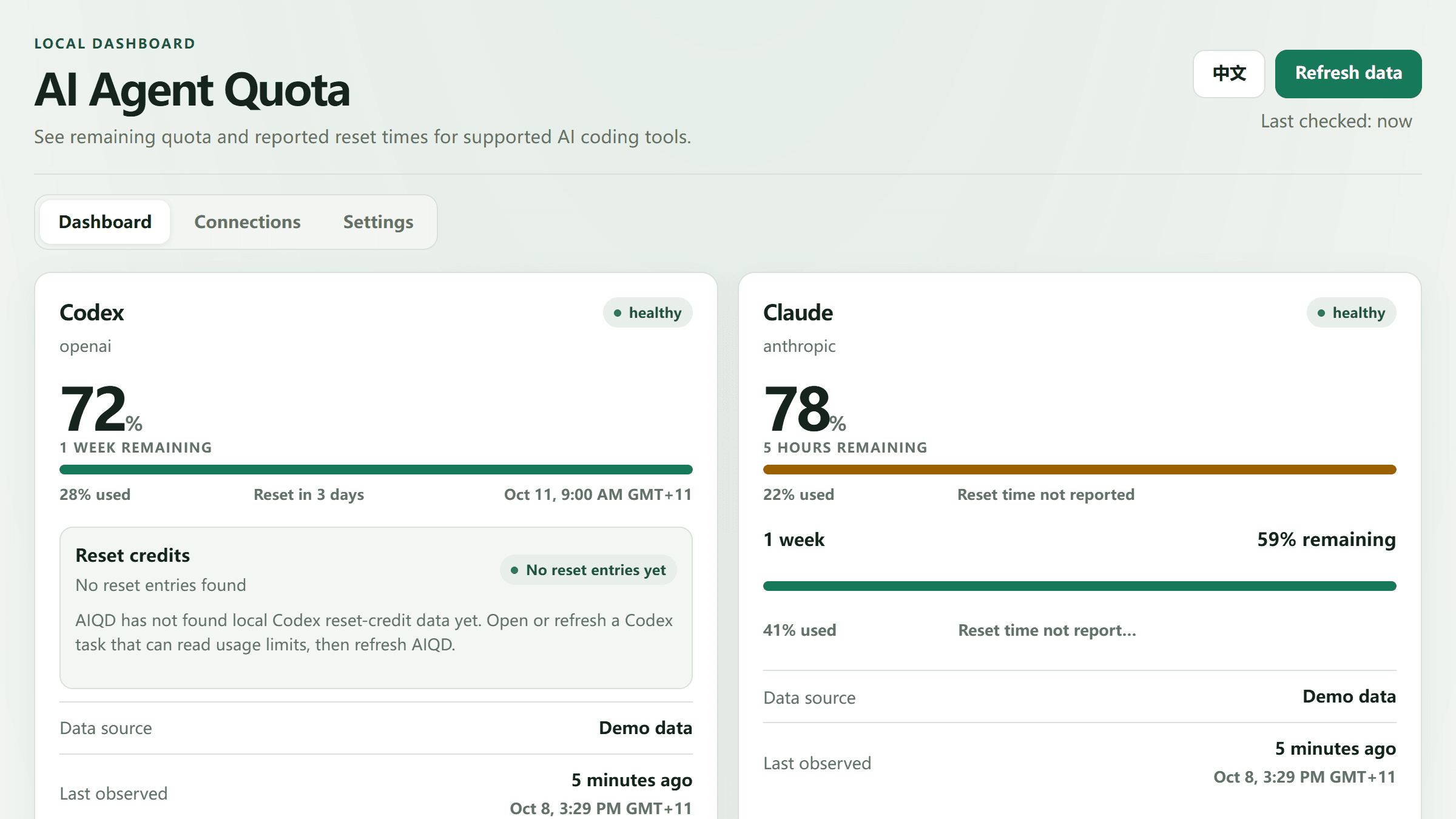
Know your AI quota before your next run. AIQD answers one question for people who code with AI agents all day: how much quota do I have left, and when does it reset? It reads only the usage data that Codex and Claude already write on your own machine, and it always shows where each number came from and how old it is.
Highlights
Quota-first
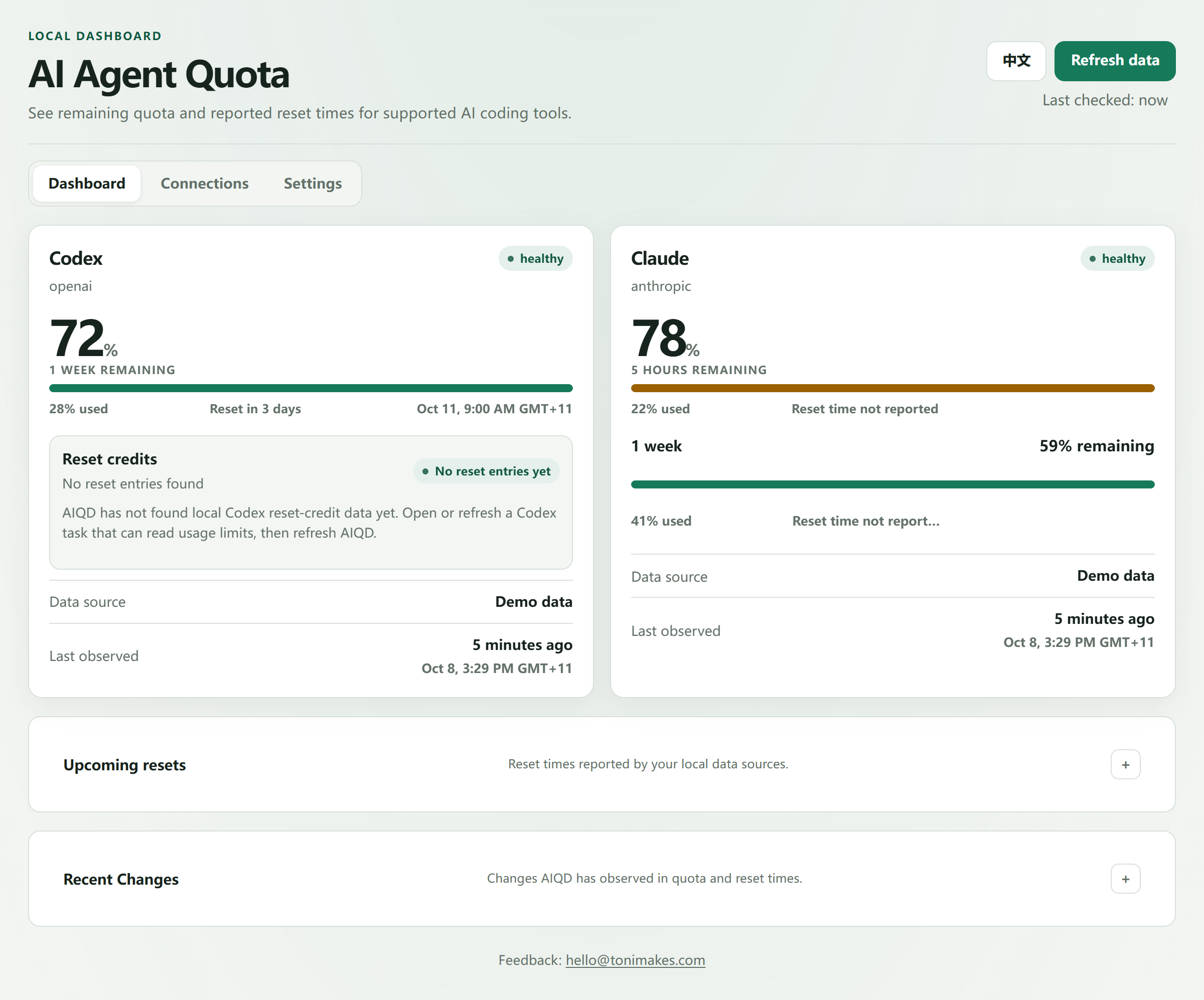
Remaining quota per usage window (5-hour, weekly) up front, with the reset time only when the source actually reports one. Not a token or cost tracker.
Honest data
“Last observed” (when the source recorded usage) is separate from “Last checked” (when AIQD looked). Stale or missing data is labelled, never guessed.
Local-first
The service listens on 127.0.0.1 only and stores readings in a local SQLite file. No cookies, passwords, prompts, replies or source code are read or uploaded.
Three surfaces
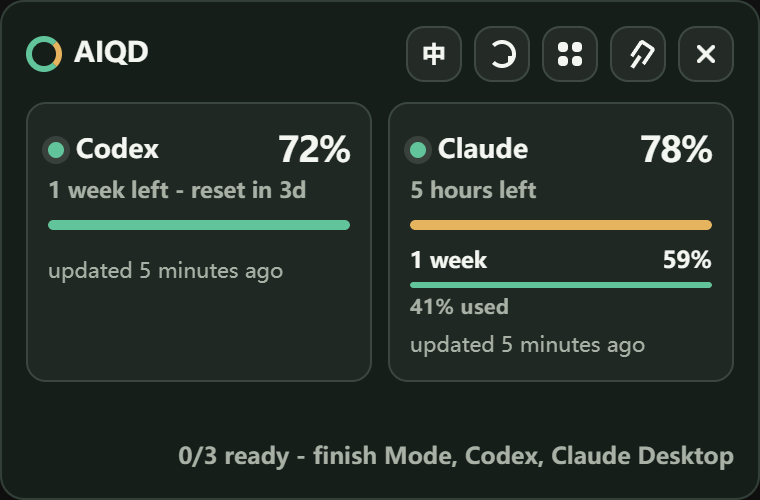
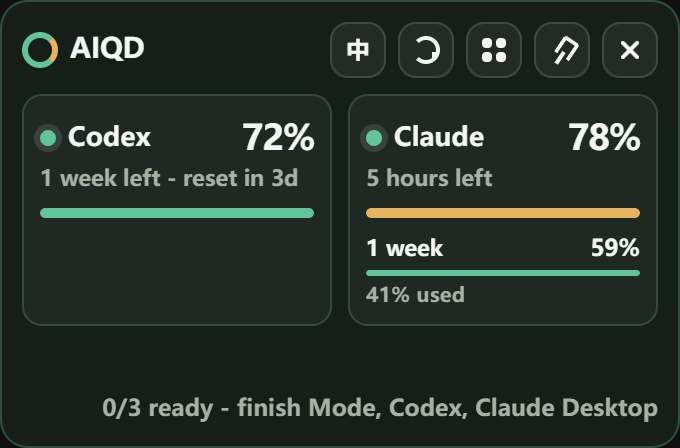
A full dashboard, a tray mini panel for a quick glance, and an optional always-on-top widget. English and Simplified Chinese.
How it works
AIQD never talks to a provider's servers. Small adapters parse one local source each, a shared core model normalises them into quota windows with freshness and source confidence, and everything the UI shows comes from that normalised data, never from raw files.
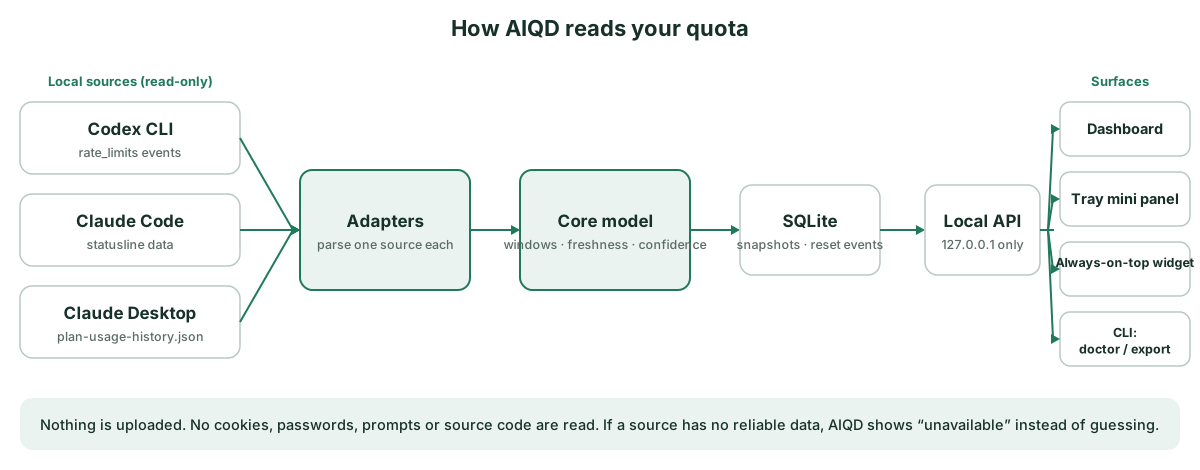
Claude can be read from either the Claude Code statusline or Claude Desktop's local usage history; they are alternatives, so you don't have to install both.
A guided first run
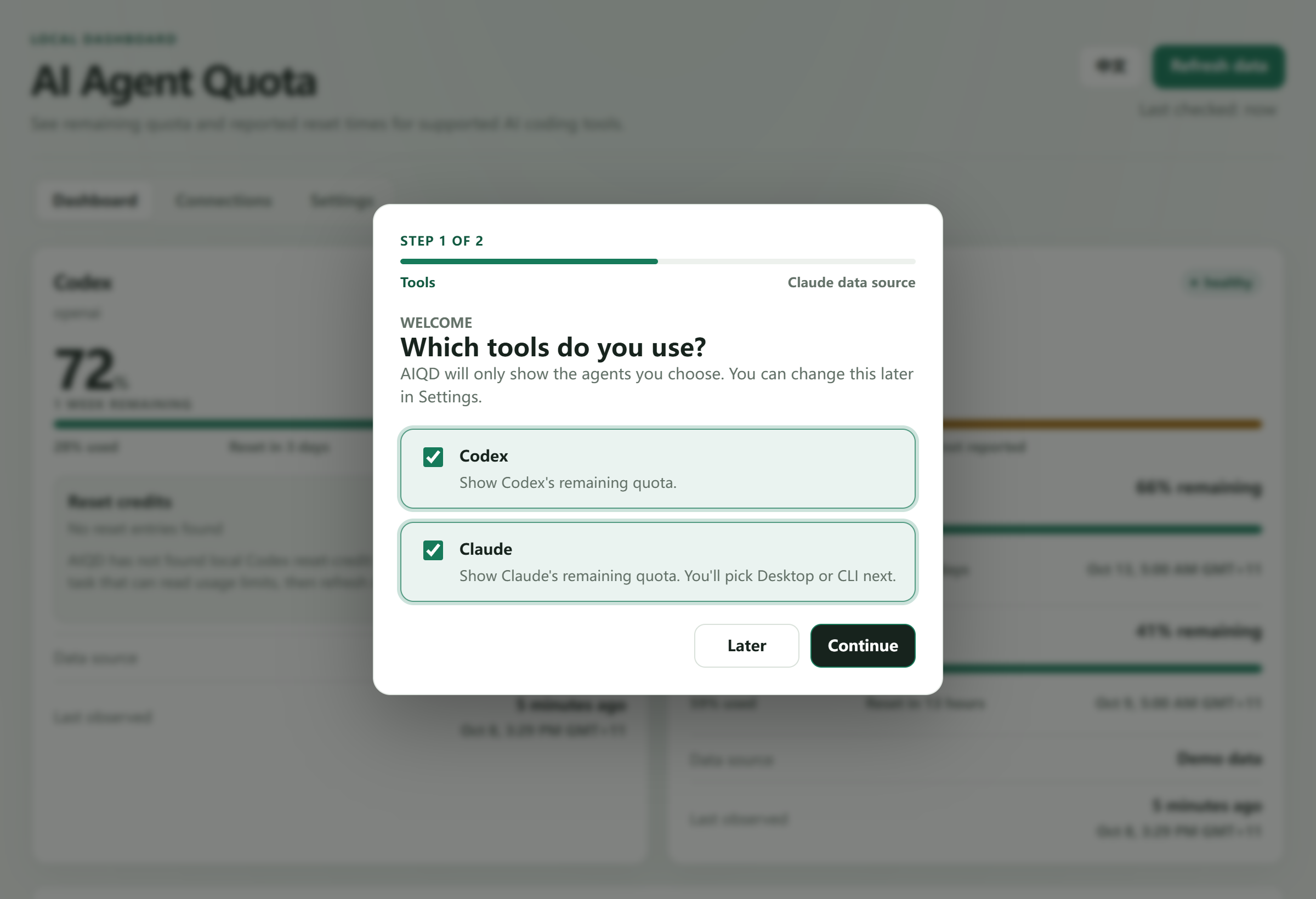
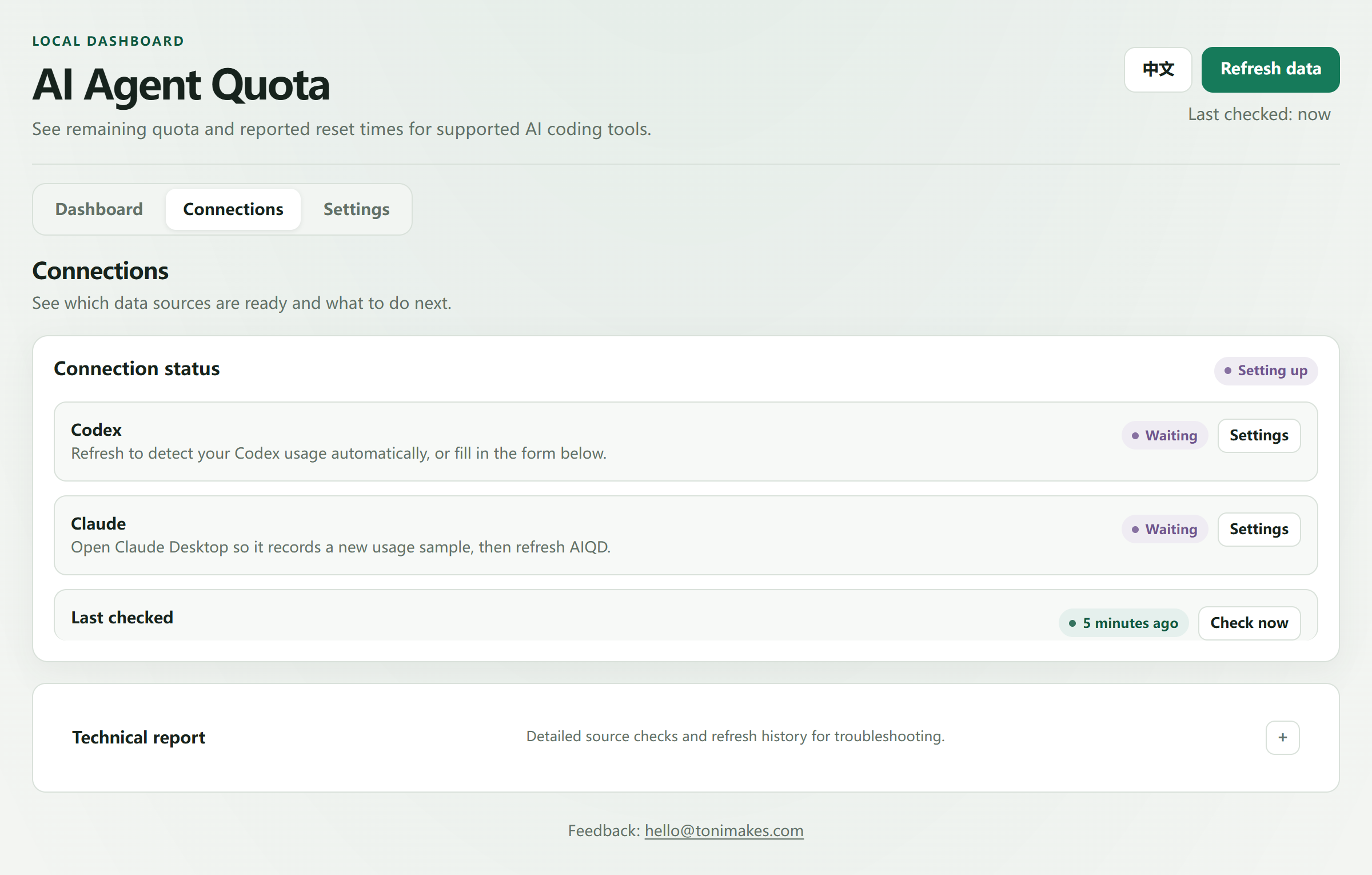
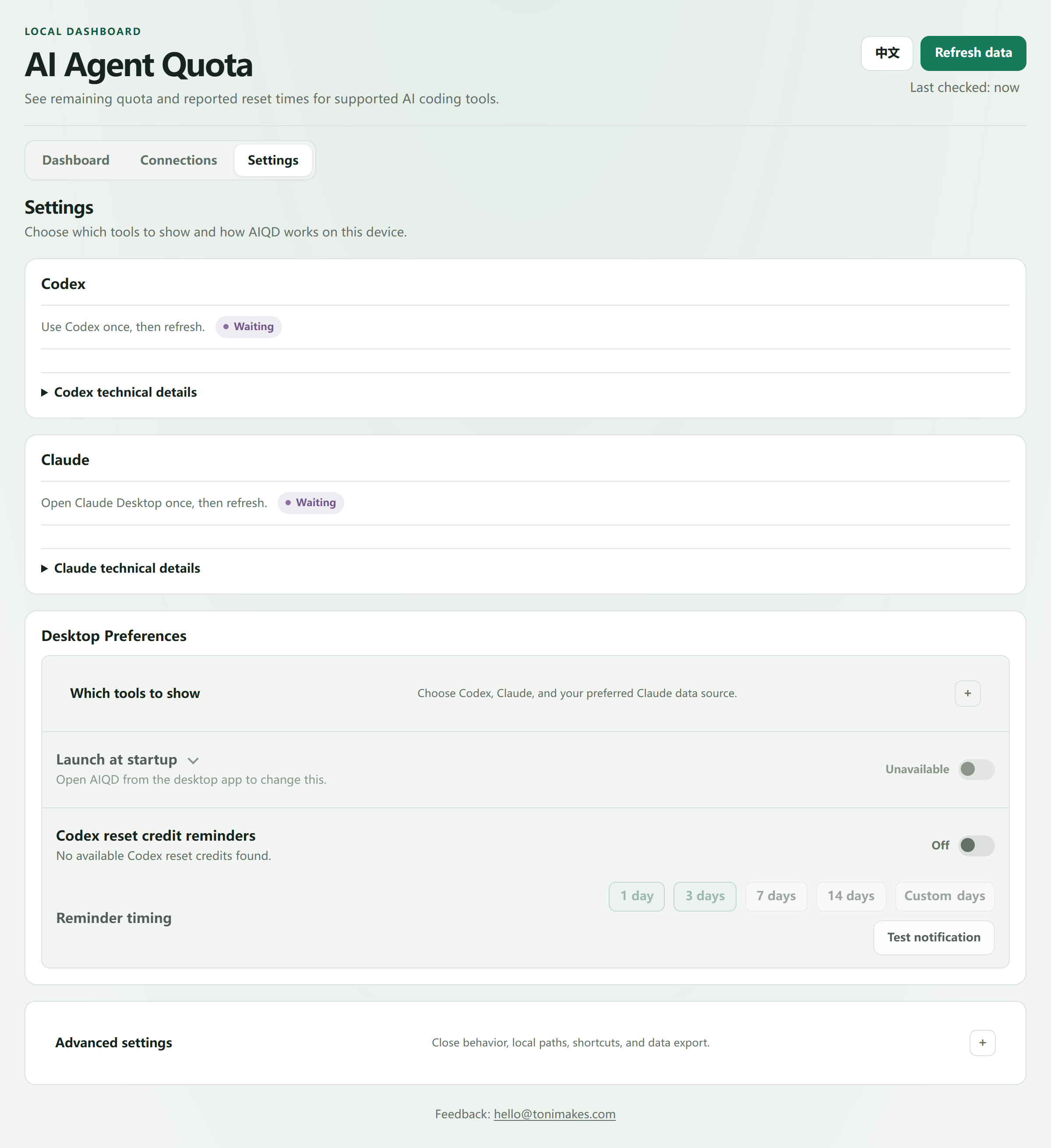
A short first-run guide asks which tools you use and which Claude source you prefer, then Settings walks through one action per source. The Connections view shows what is ready and what to do next; raw diagnostics stay folded away under “Technical report”.

Always in reach
The tray mini panel and the always-on-top widget reuse the same readings and the same wording as the dashboard, so a quick glance never contradicts the full view. Settings keep everything optional and reversible: launch at sign-in is off by default, and reminders for Codex reset credits can be previewed before they are enabled.
Engineering notes
- Layered and testable: source adapters → core quota model → SQLite store → localhost API → Electron UI. New parsers must ship with anonymised sample files and tests.
- Honest by design: a source-confidence model ranks where data came from and explains why a number may be out of date; unsupported windows are hidden rather than inferred.
- Safe setup: the Claude Code statusline connector is a one-click, user-started step that writes only the local setting it needs.
- Release hygiene: CI on Windows and Ubuntu, pinned GitHub Actions, dependency audit and SBOM, version-checked tag releases that publish the installer with a SHA-256 file. MIT licence, changelog and a security policy.
- Tooling:
doctordiagnostics and JSON / CSV export that omit account identifiers and raw source paths.
Status
Public v0.1.0 Windows x64 preview. The installer is unsigned while an open-source code-signing application is pending, so the SHA-256 is published on the release page. Browser-only use of Claude or ChatGPT cannot be monitored, because there is no local file to read. Screenshots above use sanitised demo data from the current development branch, so they may be slightly ahead of the installer.