Bead Grid Helper (一格格拼豆)
ReleasedWeChat Mini ProgramsStack: Taro 4 · Vue 3 · TypeScript · Tencent CloudBase · Vitest · GitHub Actions
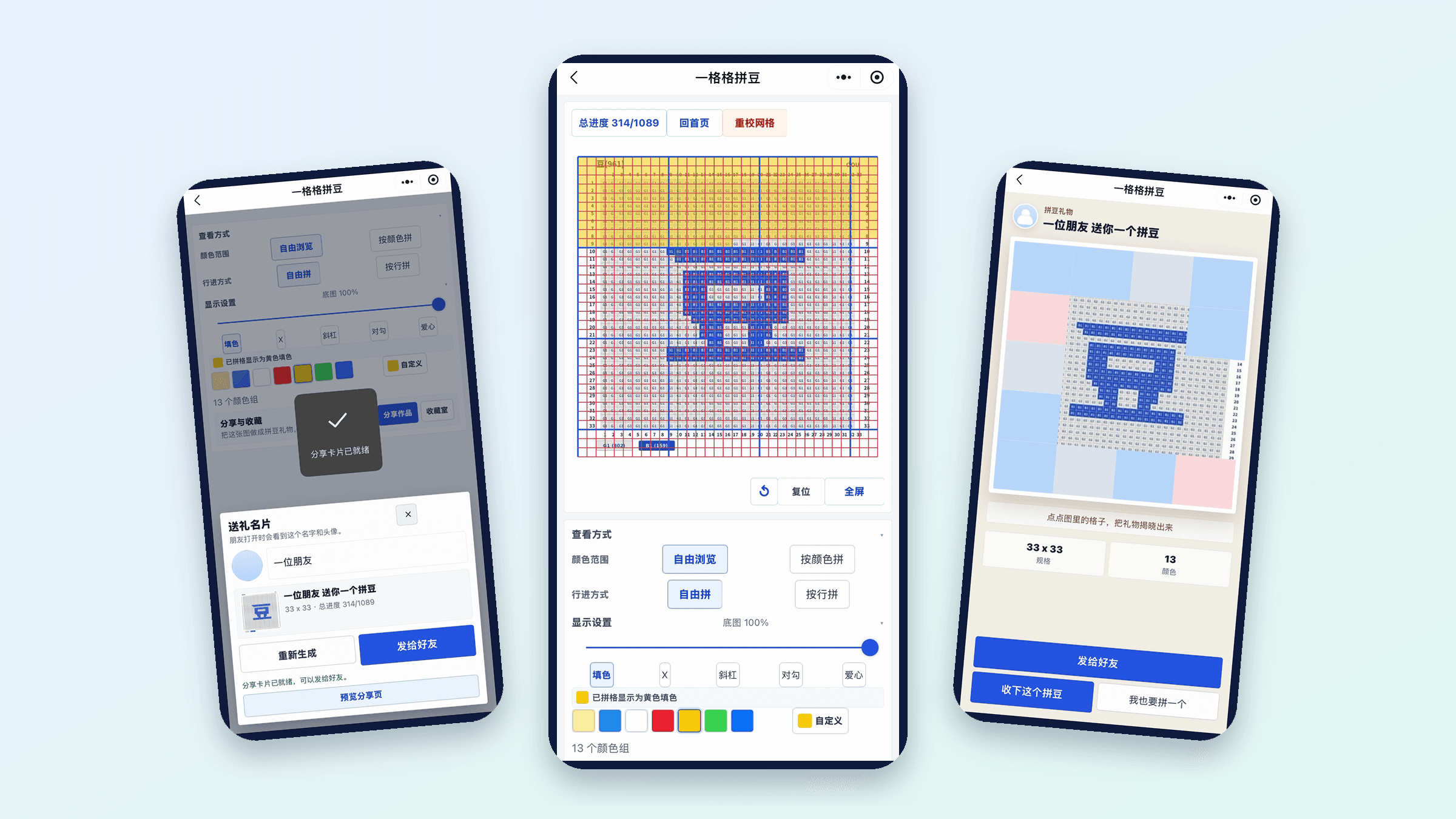
Turn a bead pattern into something you can tick off, one cell at a time. Bead Grid Helper is a WeChat mini program for perler-bead crafters. You import a pattern image, lay a grid over it, then work through the pattern in an editor that remembers where you stopped. When it is finished, you can send it to a friend as a small gift.

Highlights
Grid aligned by you, not guessed
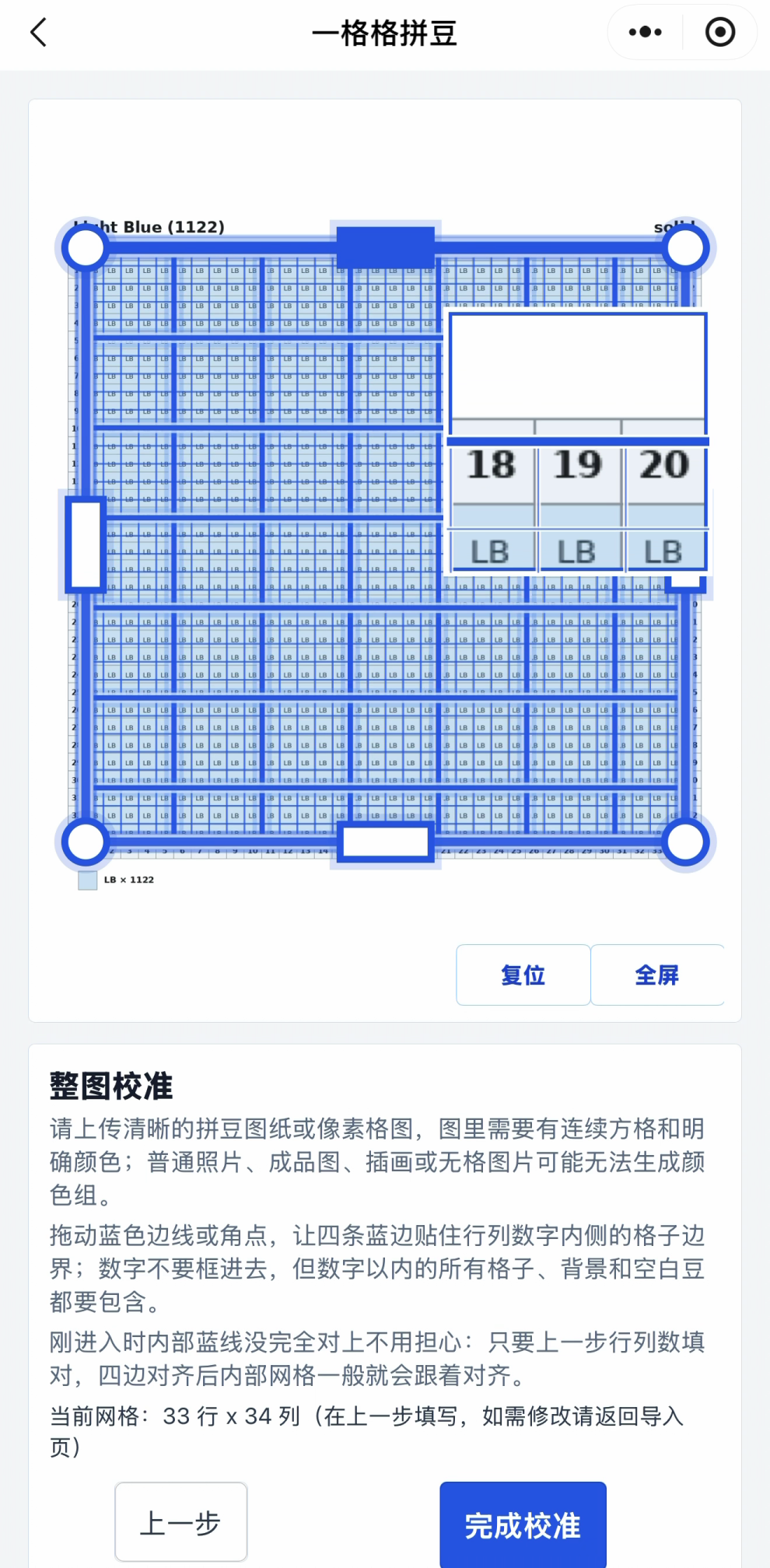
Enter rows and columns, drag the four edges to frame the pattern, then fine-tune the four corners for perspective with a local magnifier. The grid is its own logical layer on top of the image, so a slightly crooked photo still works.
Three ways to build
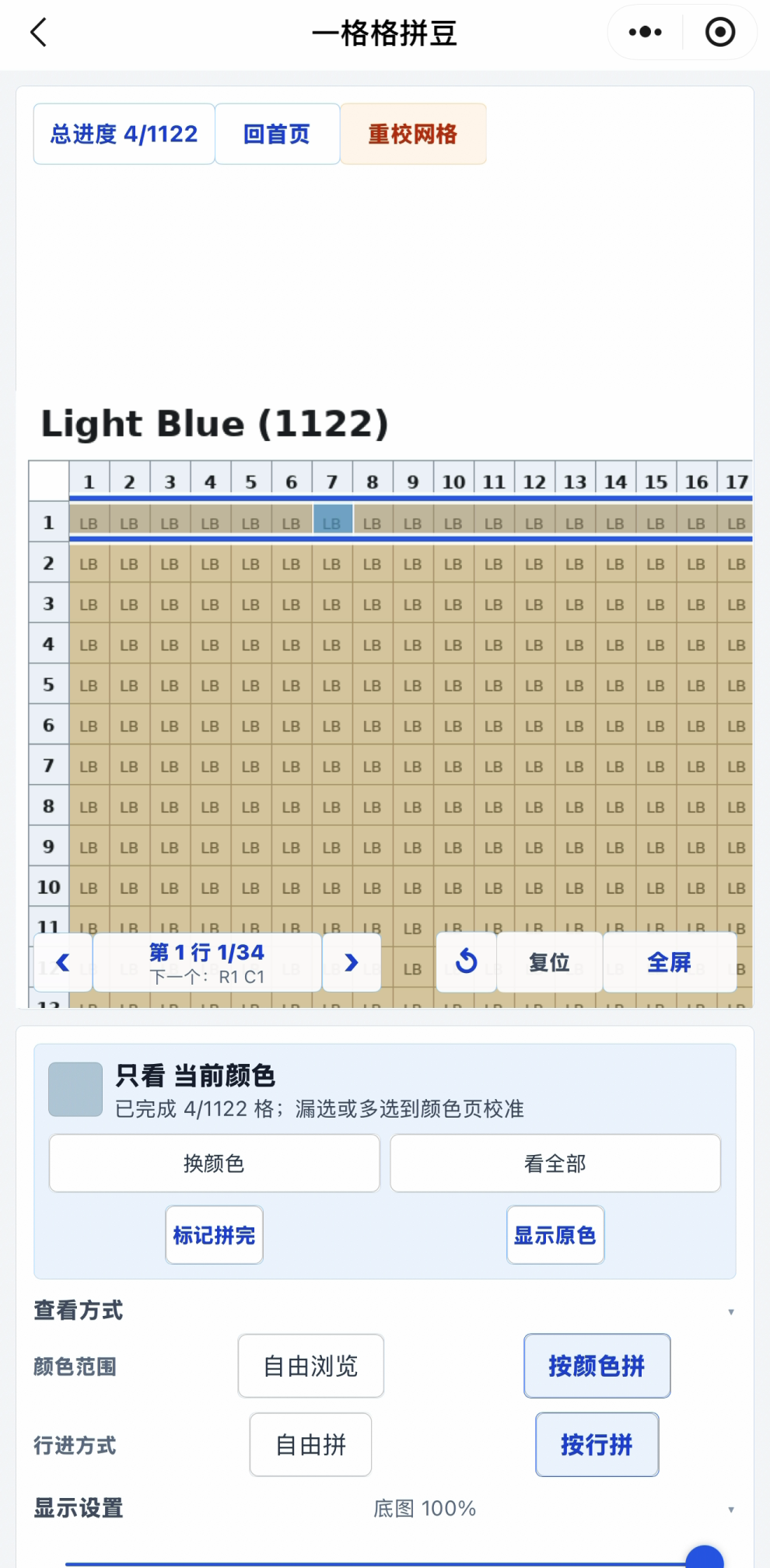
Free browsing, row by row with a "next cell" hint, or colour by colour. Progress is stored as a compact bit set, with undo, and picks up where you left off.
A colour system you can correct
Similar colours are grouped for you, and you can merge, split, hide the background, move single cells between groups, and undo each step. Groups bind to MARD 221, MARD 291 or Hama Midi codes, or to your own palette, and feed a bead shopping list.
Share it as a gift
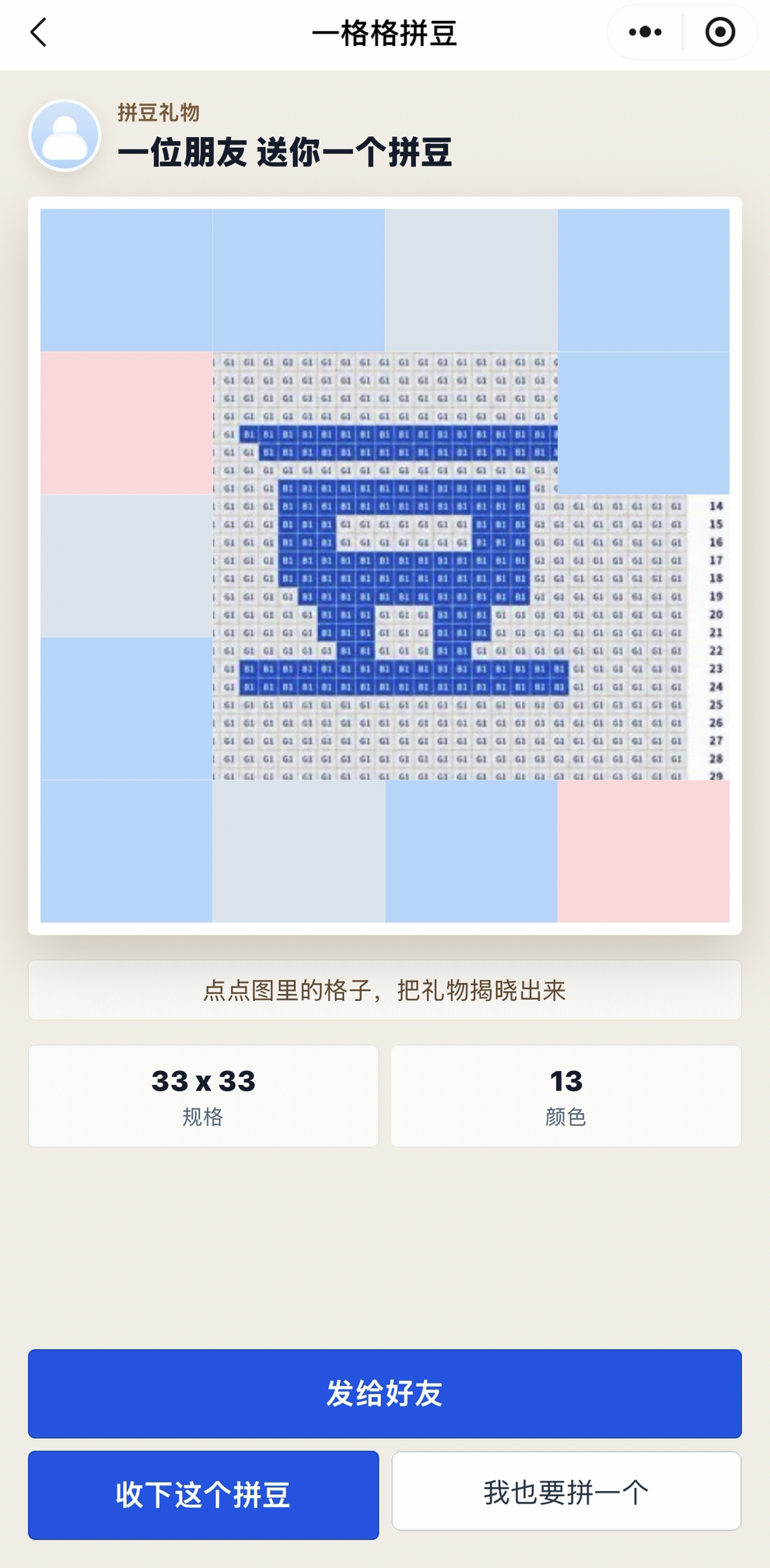
A gift card with your name and avatar goes to a friend, who taps tiles to reveal the pattern. Finished pieces live in a collection board you can rearrange.
Import and align the grid
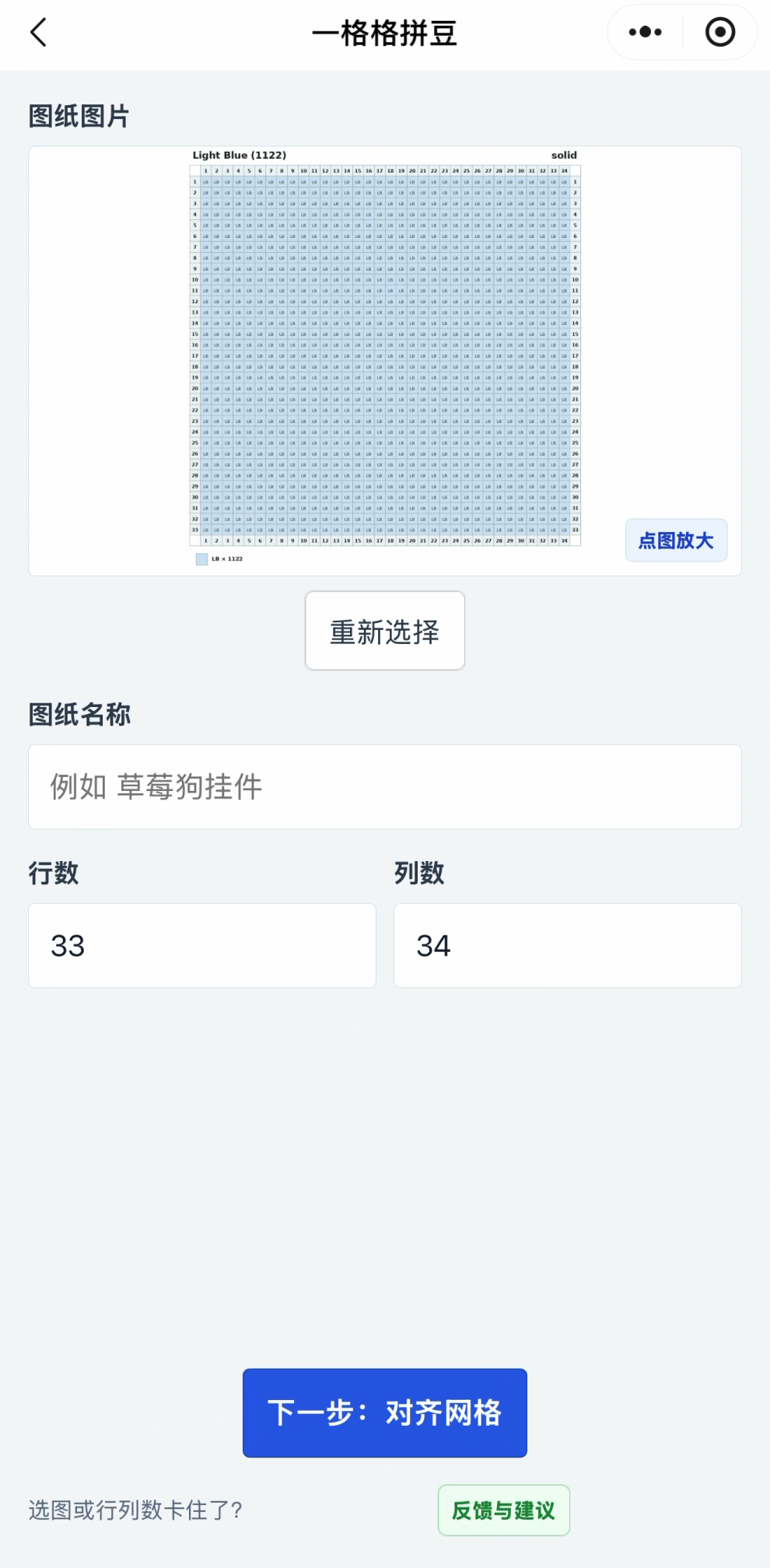
Pick a clear pattern image and type its rows and columns. The calibration page then lays a grid over it: drag the four edges to frame the numbered area, nudge the four corners for perspective, and check the fit in the magnifier. Full-screen and landscape modes help on large patterns. The grid is a separate logical layer, so the image itself is never cut up.
Build it cell by cell
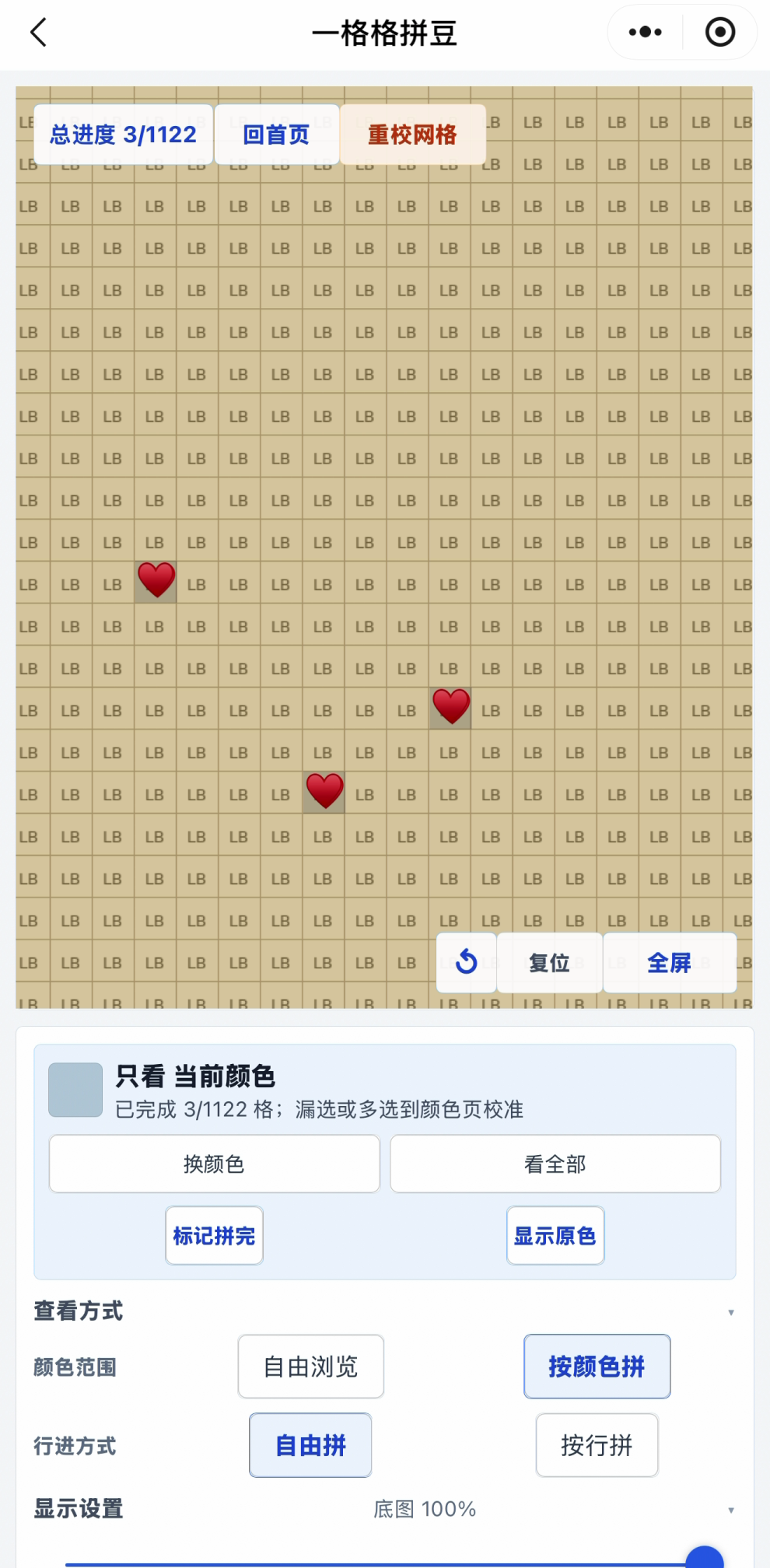
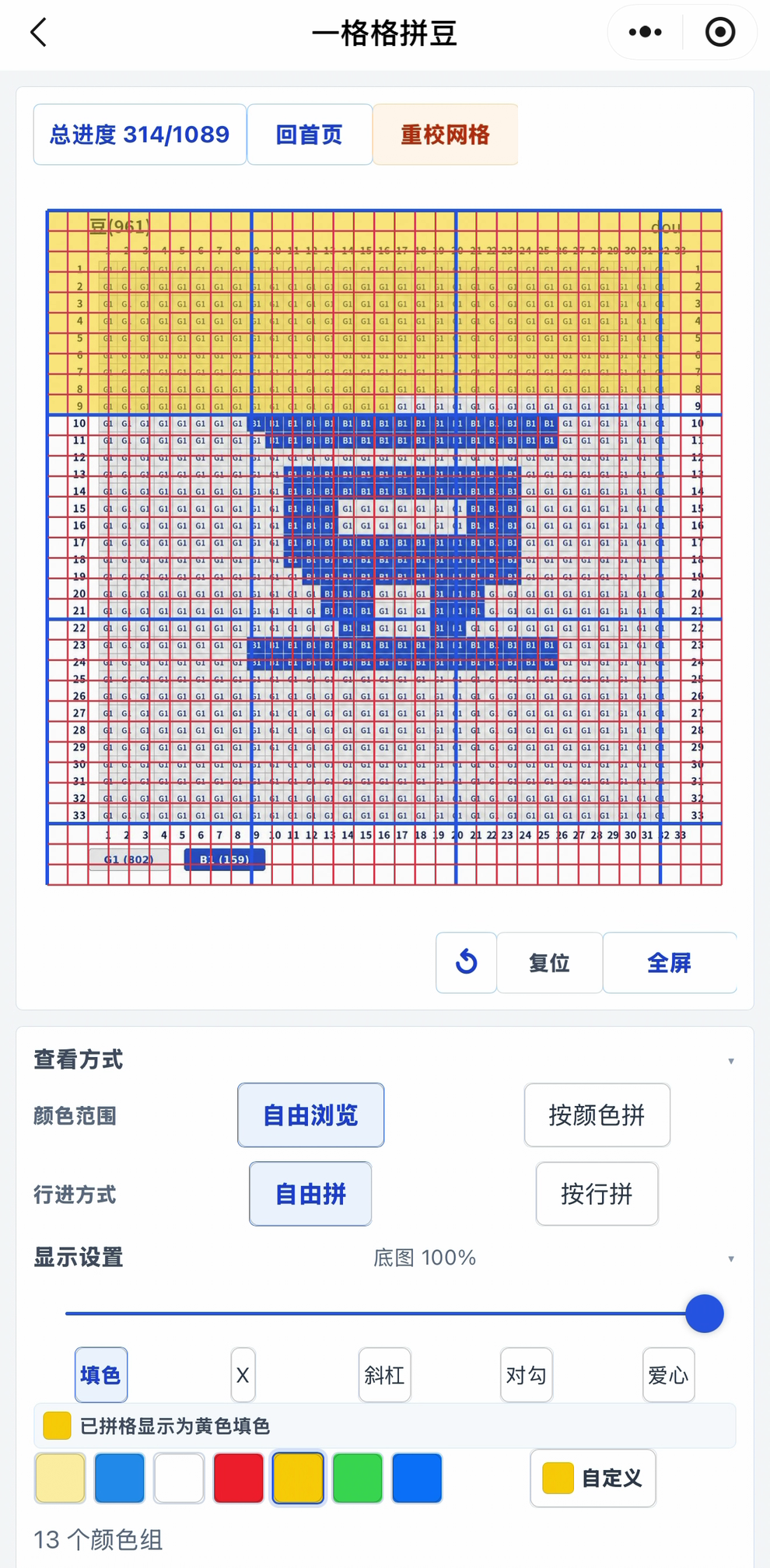
The editor keeps the pattern as a zoomable, pannable image with the aligned grid over it. Switch between browsing the whole pattern and building row by row or by colour, with the active row and total progress always in view. Ticked cells can be shown as a colour fill, a cross, a slash, a tick or a heart. Pinch-zoom stays smooth because gesture state is kept local until the gesture ends.
Manage colours
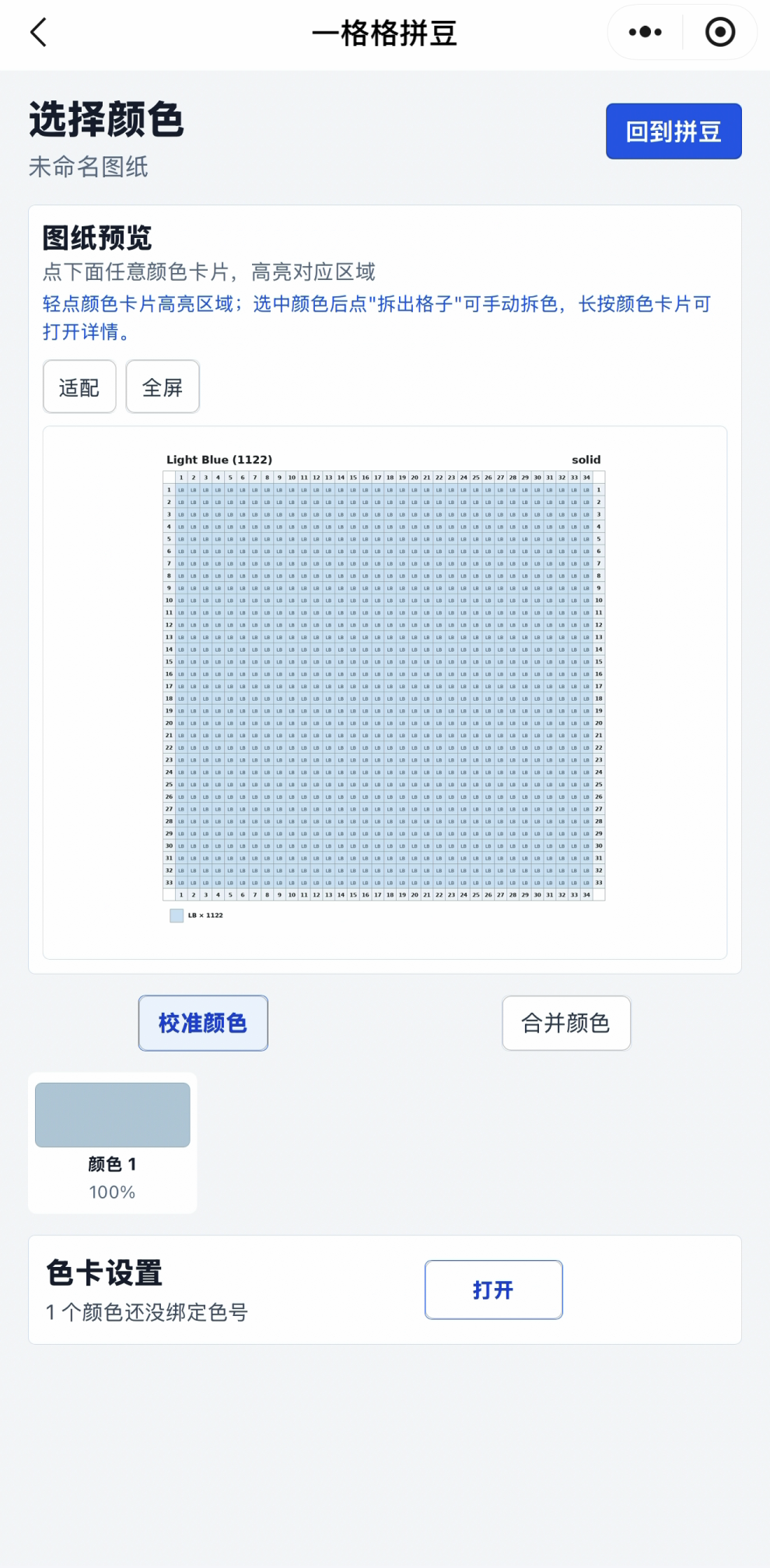
The colour page groups similar colours, lets you calibrate, merge or split them, and binds each group to a palette code. The sample pattern below happens to have a single colour, so only one group shows.
Share and collect
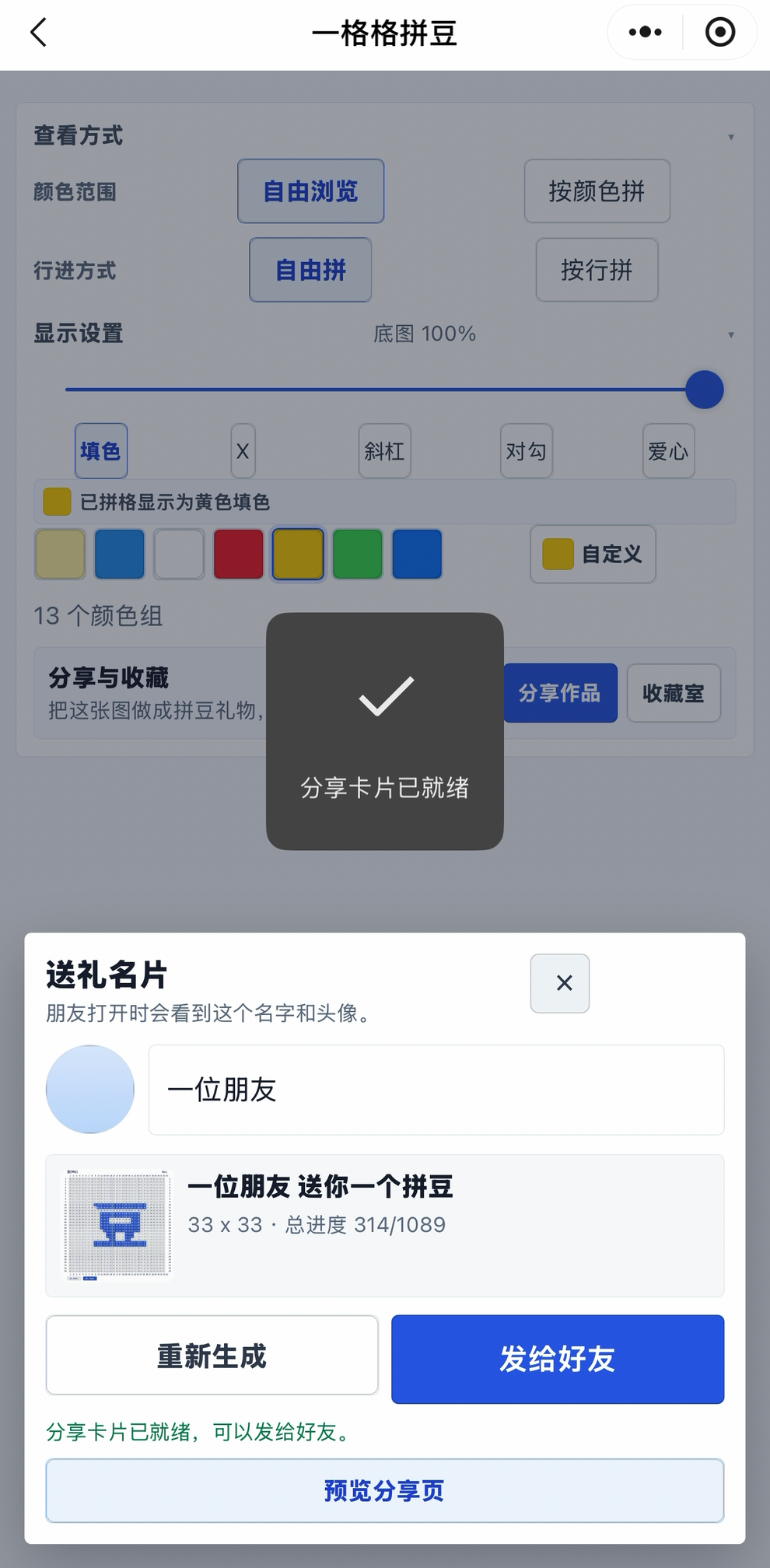
"Share" turns a piece into a gift card: the recipient sees your chosen name and avatar, taps tiles to uncover the pattern, and can keep it as their own project or start a new one. A cloud function stores the share snapshot, and text and images pass content-safety checks before anything is saved or shown.
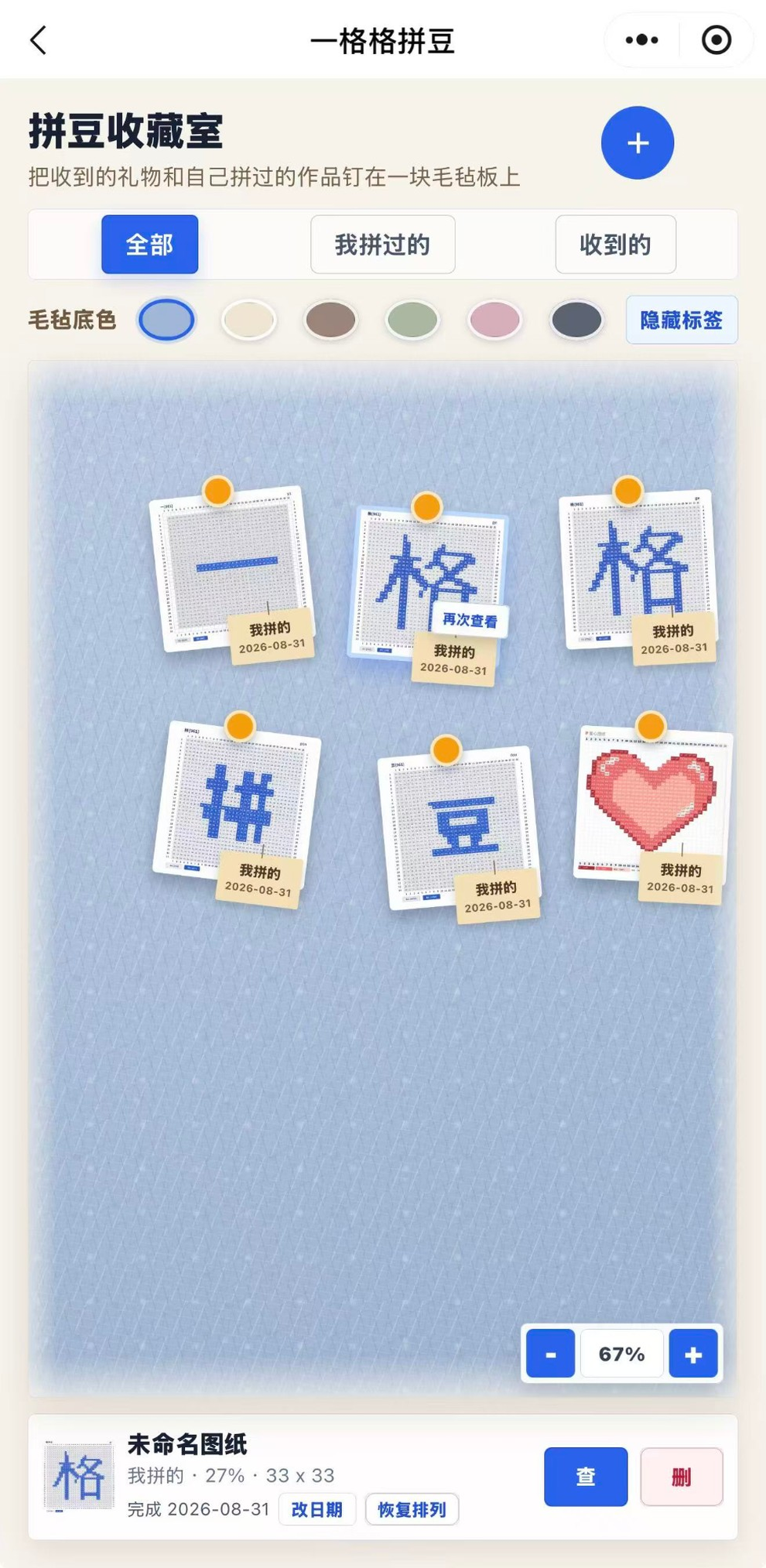
Finished pieces and gifts you have received are pinned to a felt board in the collection room. You can filter by "mine" or "received", change the felt colour, toggle the labels, and drag pieces around; each piece keeps its completion date.
How it works
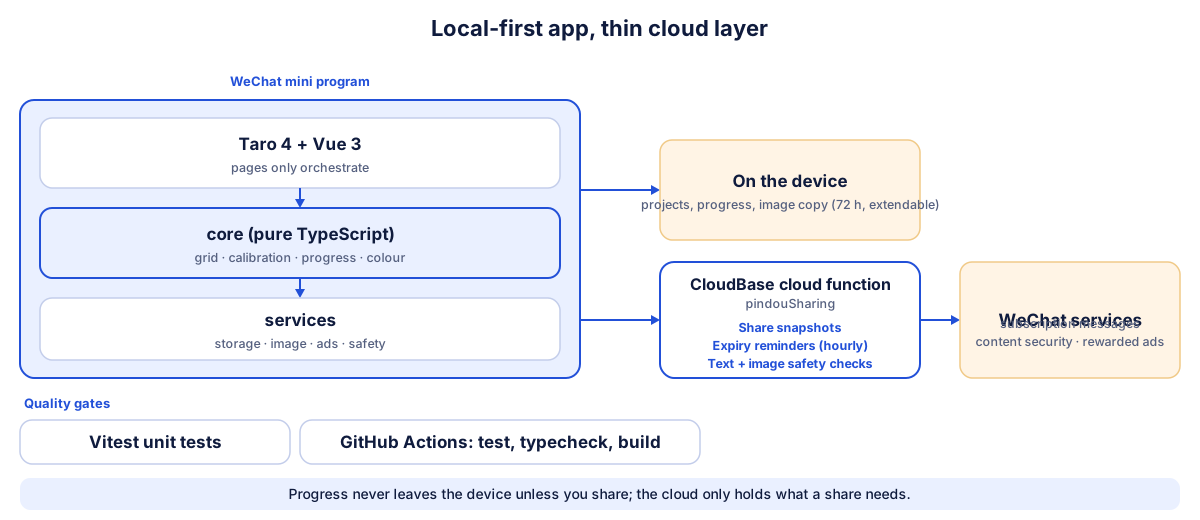
The app is local-first. Projects, progress and the pattern image stay on the device, and a project stays active for 72 hours, extendable by watching a rewarded ad (the first import is free, and ads are wired in but off until the ad slot is approved). Only sharing touches the cloud: one CloudBase function stores share snapshots, sends expiry reminders as WeChat subscription messages on an hourly schedule, and runs text and image safety checks. Pages only orchestrate; grid, calibration, progress and colour logic sit in a platform-independent core layer with unit tests.
Engineering notes
- A debugging case I like to talk about: pinch-zoom was laggy, and I traced it through three layers (full-grid redraws, a deep watcher on a huge array, and whole-state replacement on every touch move). The fix keeps gesture state local until the gesture ends.
- A product call backed by data: automatic row and column detection got only 3 of 13 test cases right, so I shelved it and hid the entry point instead of shipping a feature that guesses wrong. The code and the regression script are still there.
- Honest colours: the palettes are third-party screen approximations, labelled as such, and the UI says "suggested" rather than "exact".
- Content safety: a pattern image is pre-screened on the device before upload, and the cloud checks images and text again before saving. This was added after WeChat's platform review, and the newest hardening is in the codebase but not deployed yet.
- Tested and checked in CI: about 250 test cases cover grid, calibration, progress, colour, palettes, sharing and the cloud function, and GitHub Actions runs tests, type checks and the build on every push.
Status
Released on WeChat: it passed verification on 12 Aug 2026, version 0.1.6 went out on 26 Aug 2026, and it has reached about 100 cumulative users through organic traffic alone, with no promotion. Next up: deploying the latest safety work and re-testing on real devices, turning on rewarded ads once the ad slot is ready, and reconsidering automatic recognition later. The source is private, so this page uses screenshots in place of code; every screenshot uses a sample pattern with no personal data.
The source code for this project is private, so screenshots and notes are shown here instead. Happy to walk through the code on request.