Schedule Share
LiveWeb AppsStack: TypeScript · Next.js 15 · Expo + React Native · Drizzle ORM · Postgres (Neon) · Firebase (optional) · Vercel · pnpm monorepo · Vitest · GitHub Actions
Find a time that works for your group, without anyone creating an account. Schedule Share compares availability across dates and time zones, then helps the group pick a time. The organiser creates a schedule and shares a link; everyone answers in the browser or in the mobile app.

Highlights
Two ways to ask
An open availability grid (everyone marks the slots they can make) or a vote on time options (available, if needed, or not available, with an optional preference order).
Prefill instead of retyping
Paste busy times as text, upload a CSV timetable or an .ics calendar, or apply a weekly template. Every import only fills the grid with a draft you can still edit.
Time zones done once
The database stores UTC, while dates and daily windows are read in the schedule's time zone. All slot and overlap logic lives in one tested core package.
Web and mobile, one service
The web app and the Expo mobile app call the same API, so both show the same results for the same schedule.
Create a schedule
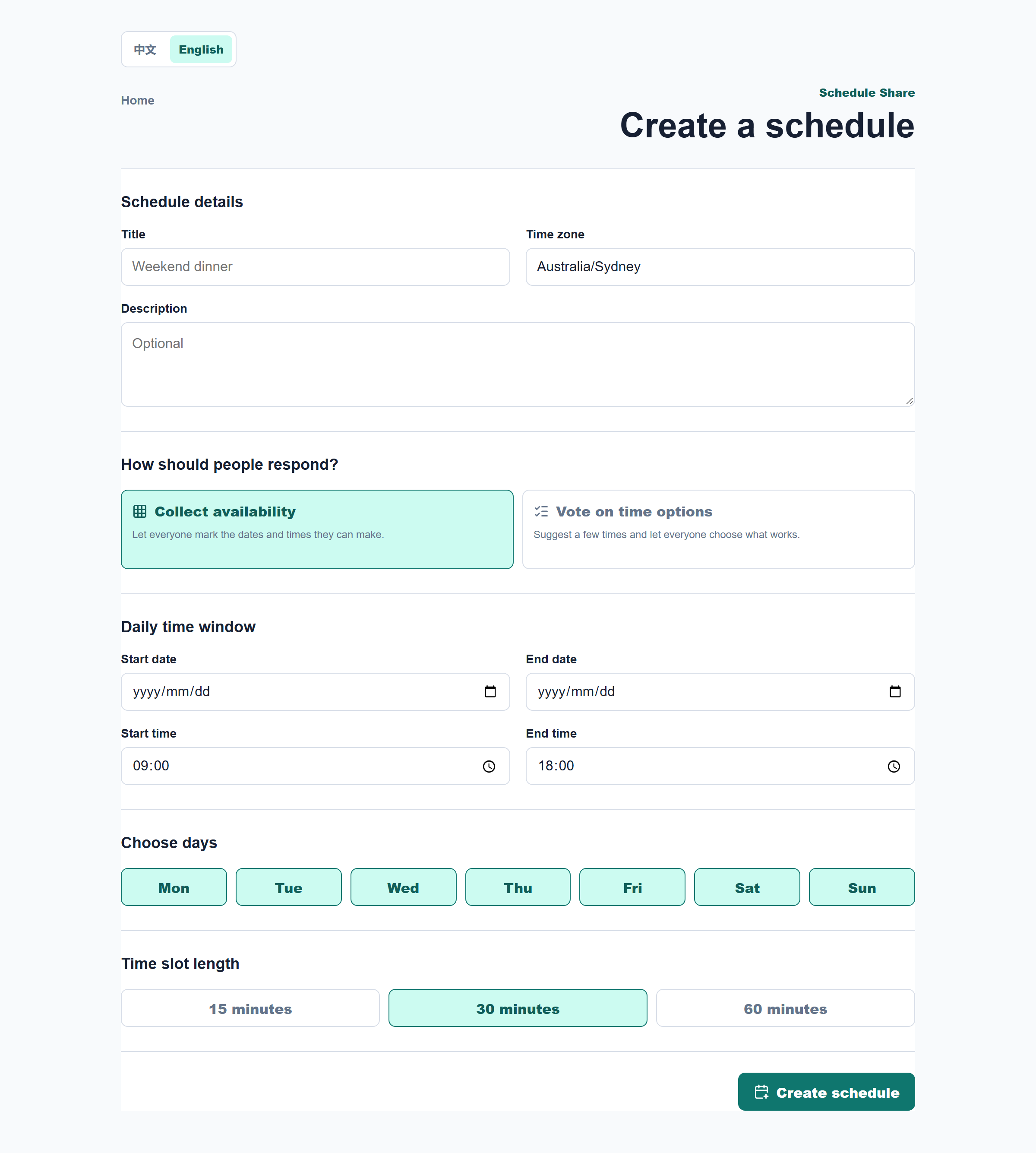
The organiser names the schedule, picks a time zone and chooses how people should respond: mark availability on a grid, or vote on a few proposed times. For a grid, they set the date range, the days of the week, a daily window and a slot length of 15, 30 or 60 minutes. The result is two links: a participant link to share, and a private organiser link.
Mark when you are free
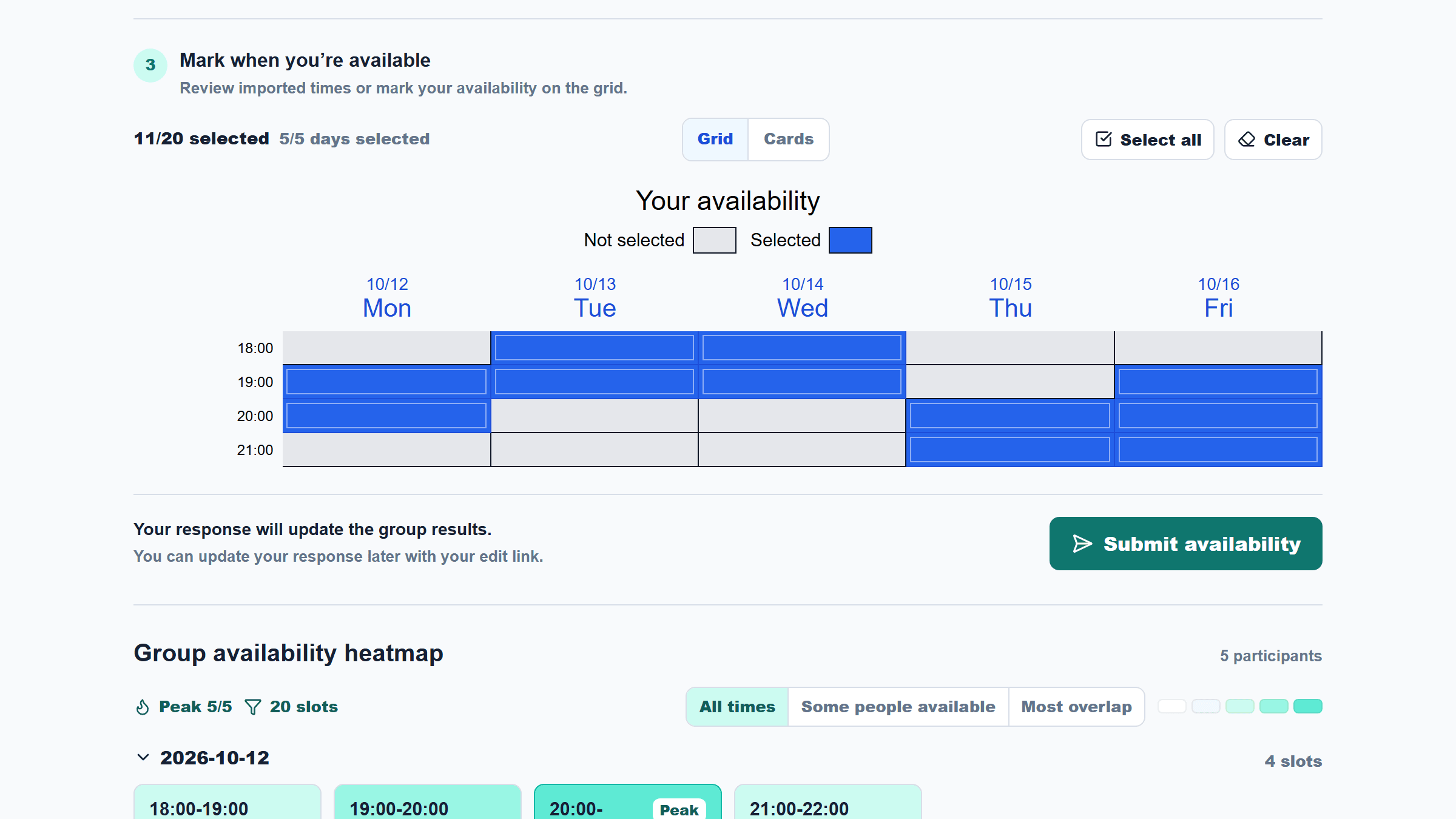
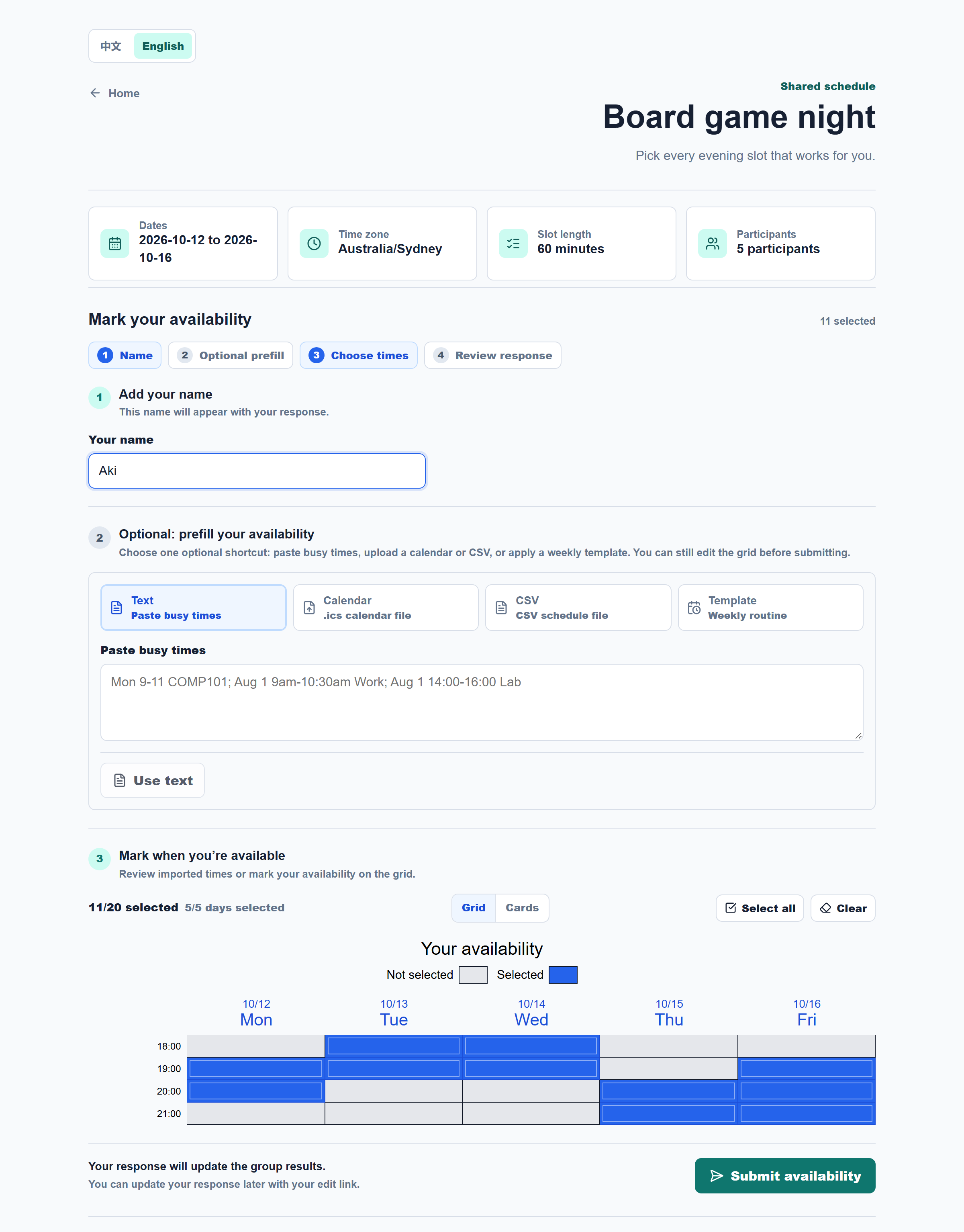
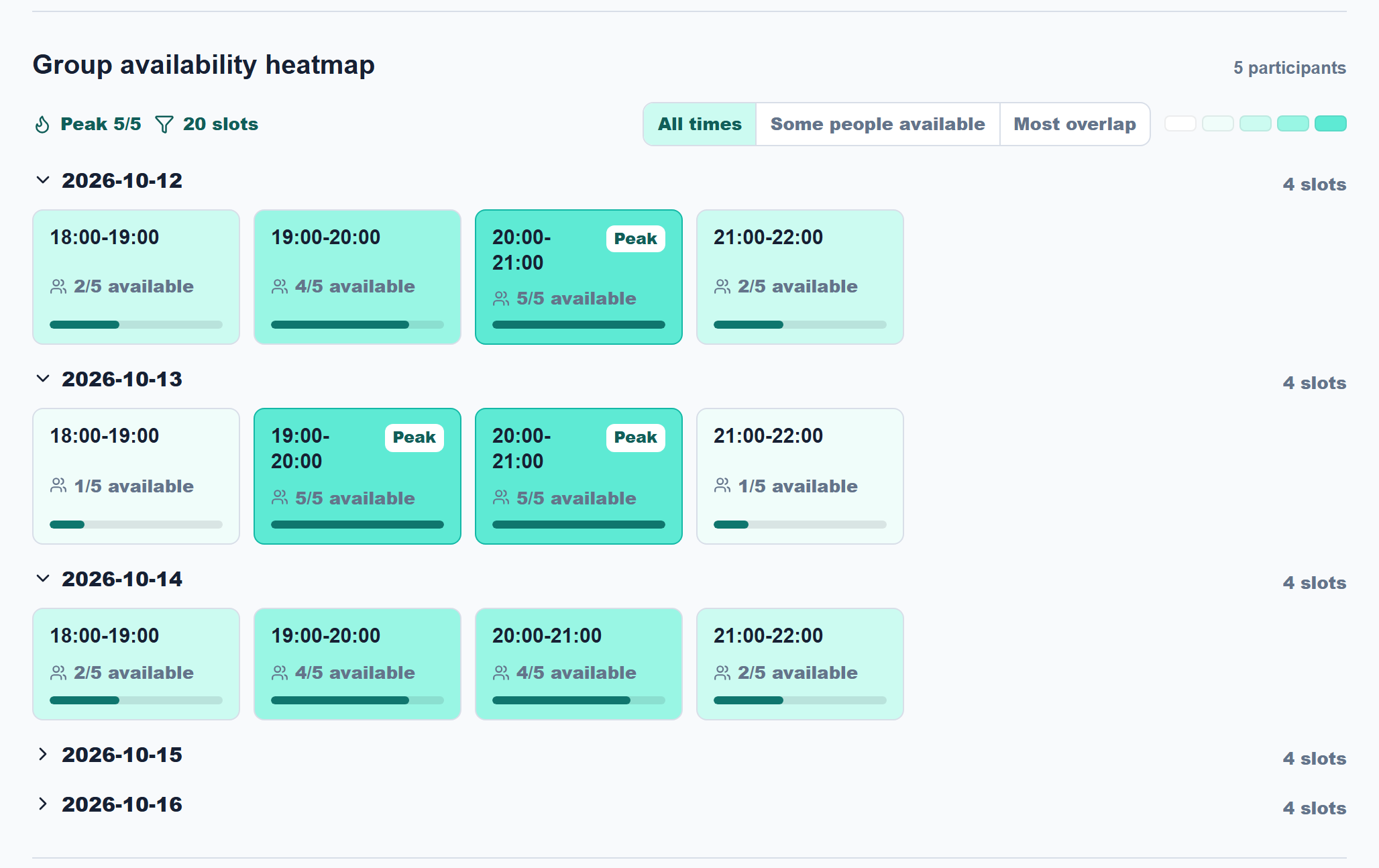
Participants open the link, type a name and paint the slots they can make by tapping or dragging. If retyping is a chore, they can prefill the grid from pasted text, a calendar file, a CSV or a weekly template first. A live heatmap underneath shows how many people can make each slot, with the peak slots highlighted.
Vote on time options
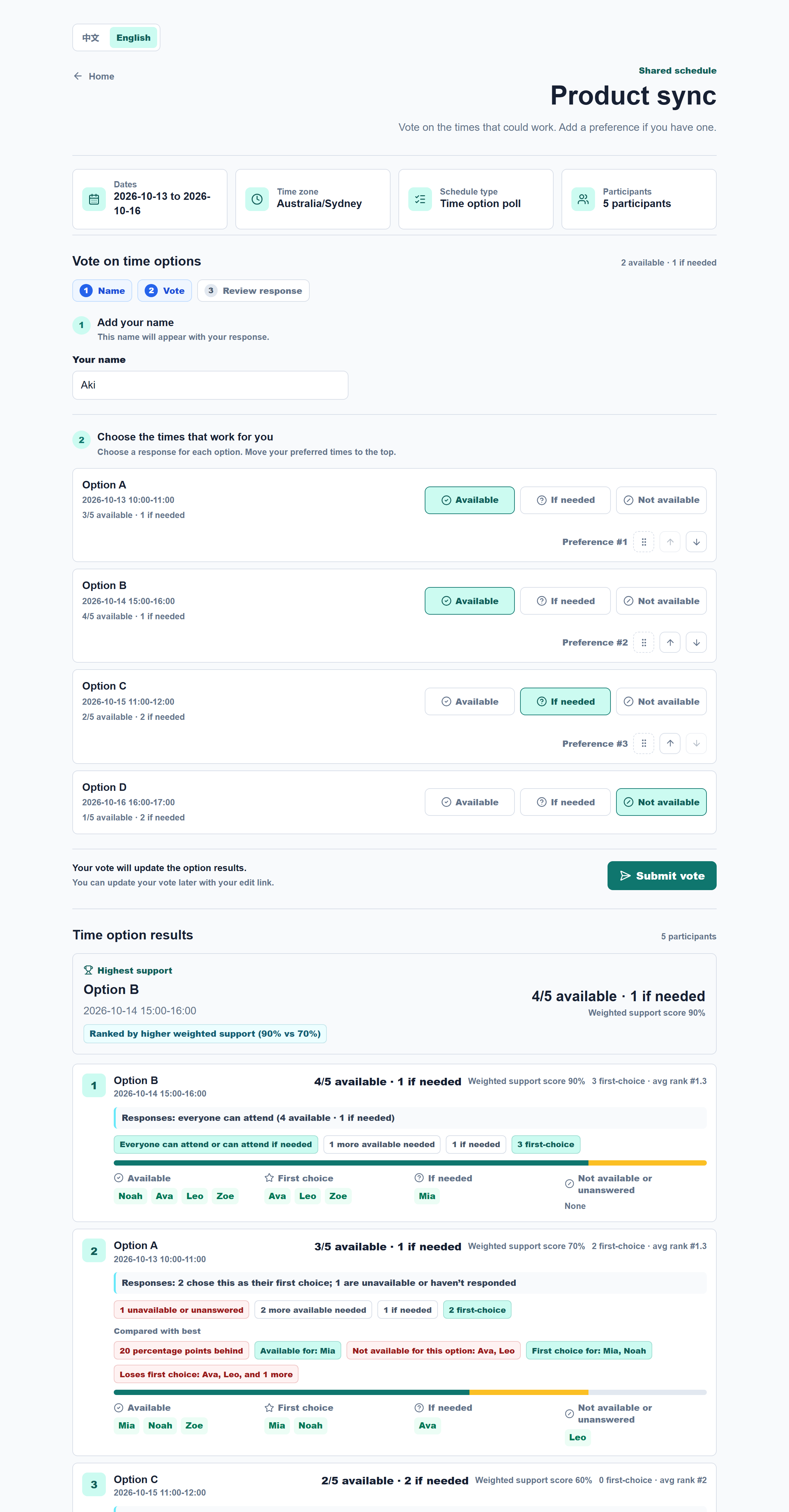
When the organiser proposes specific times, each person answers available, if needed or not available, and can put their favourites in order. Options are ranked by weighted support (available counts as 1, if needed as 0.5), and ties fall back to head count, then first choices, then average preference. The results show who can make each option, what the gap to the best option is, and how it compares.
Pick the time and wrap up
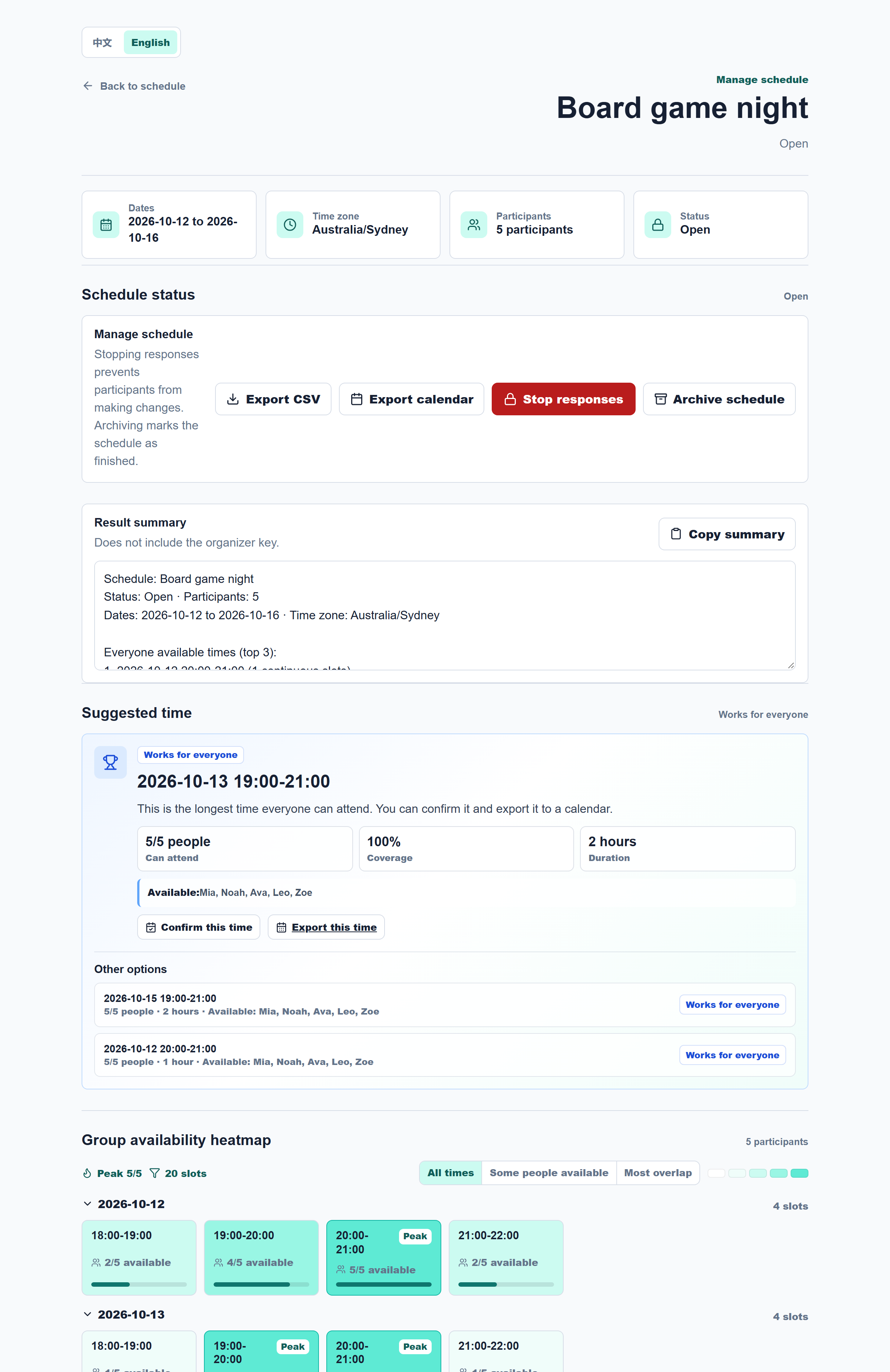
The organiser's page shows the suggested time first: the longest block where everyone is free, with who can attend. From there they can confirm it, export it, stop responses, or archive the schedule. CSV exports and .ics calendar files cover both the whole group's free blocks and the one confirmed time. The organiser link is the only key, and the result summary never contains it.
On your phone
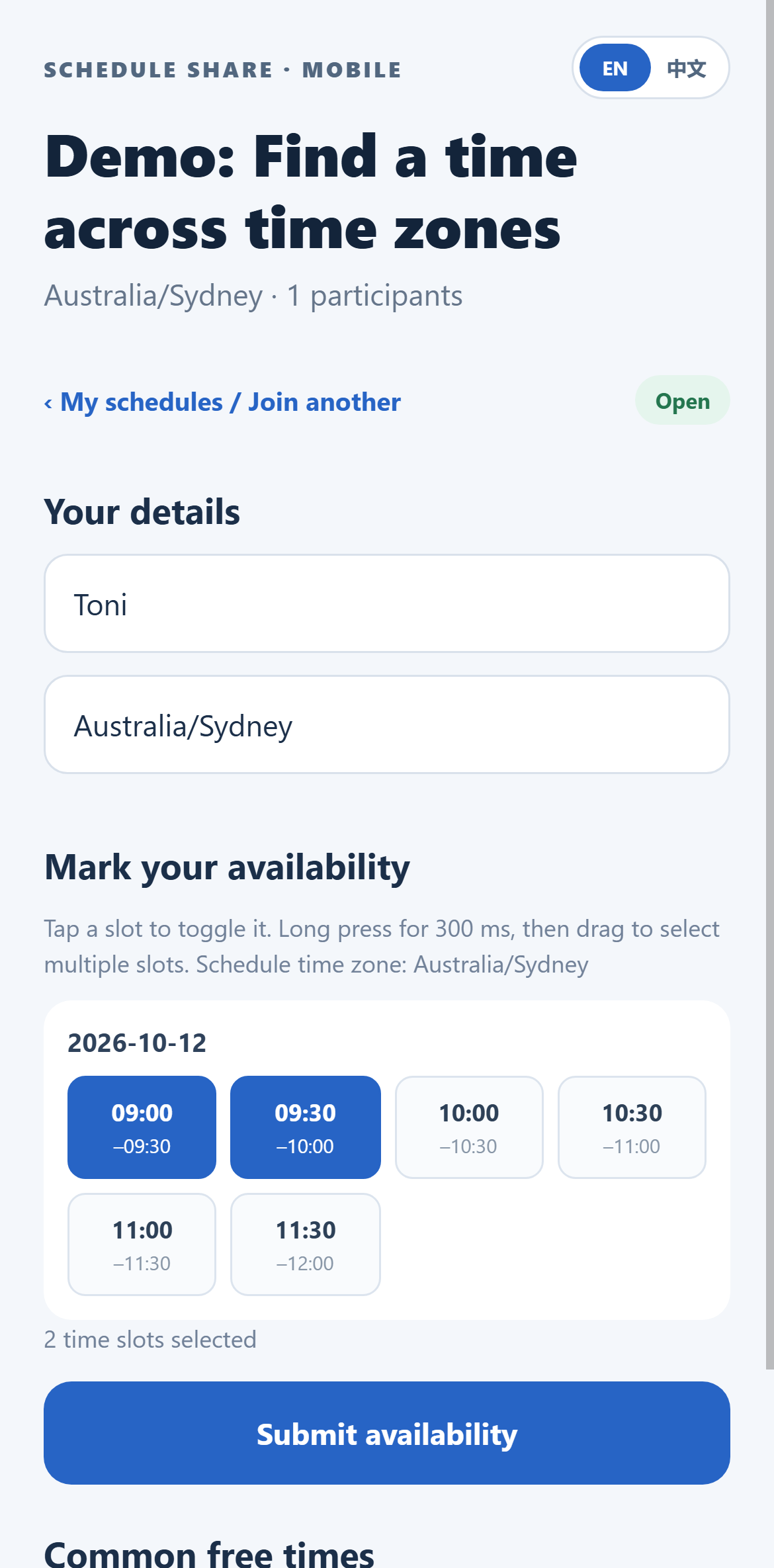
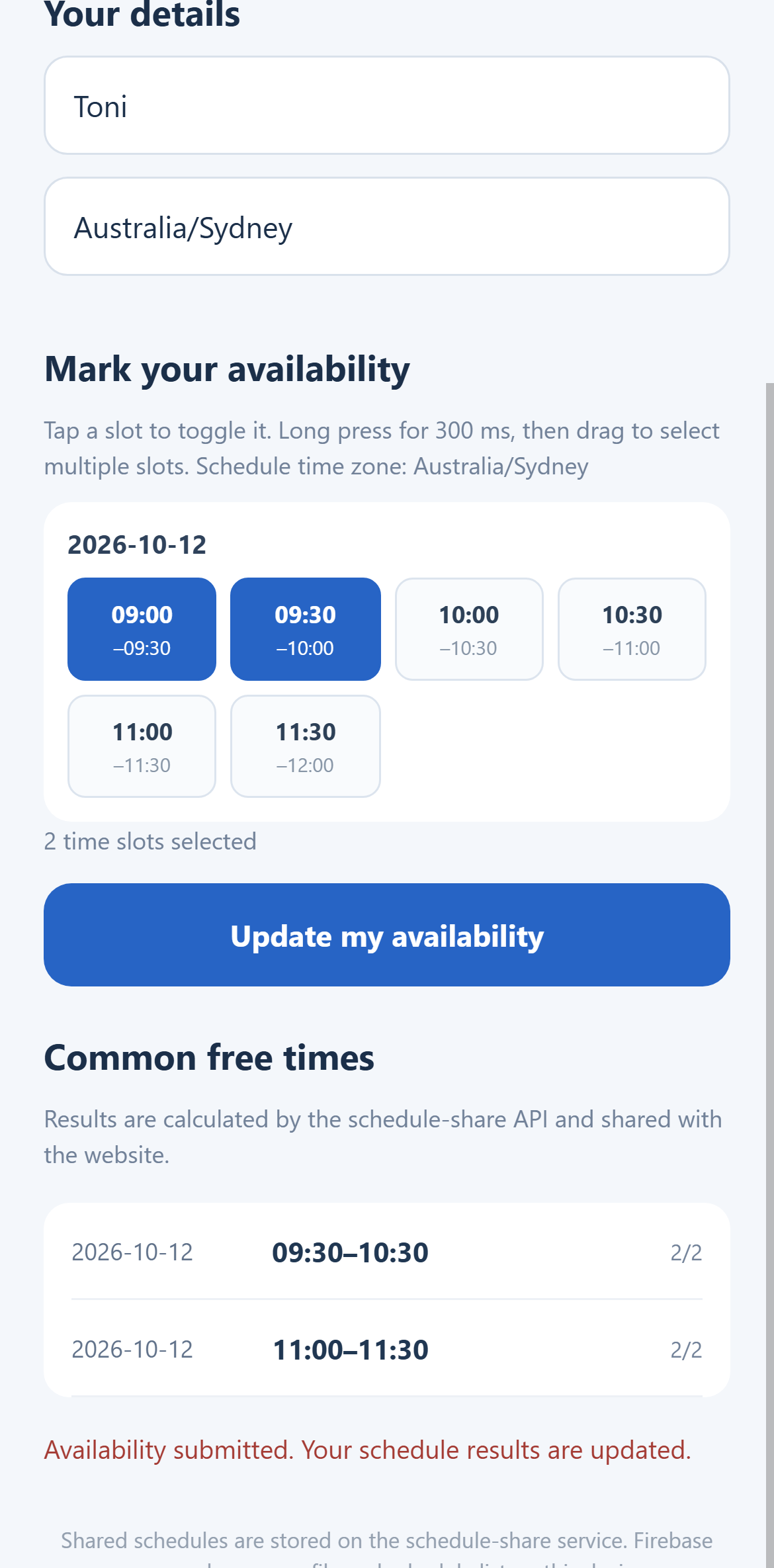
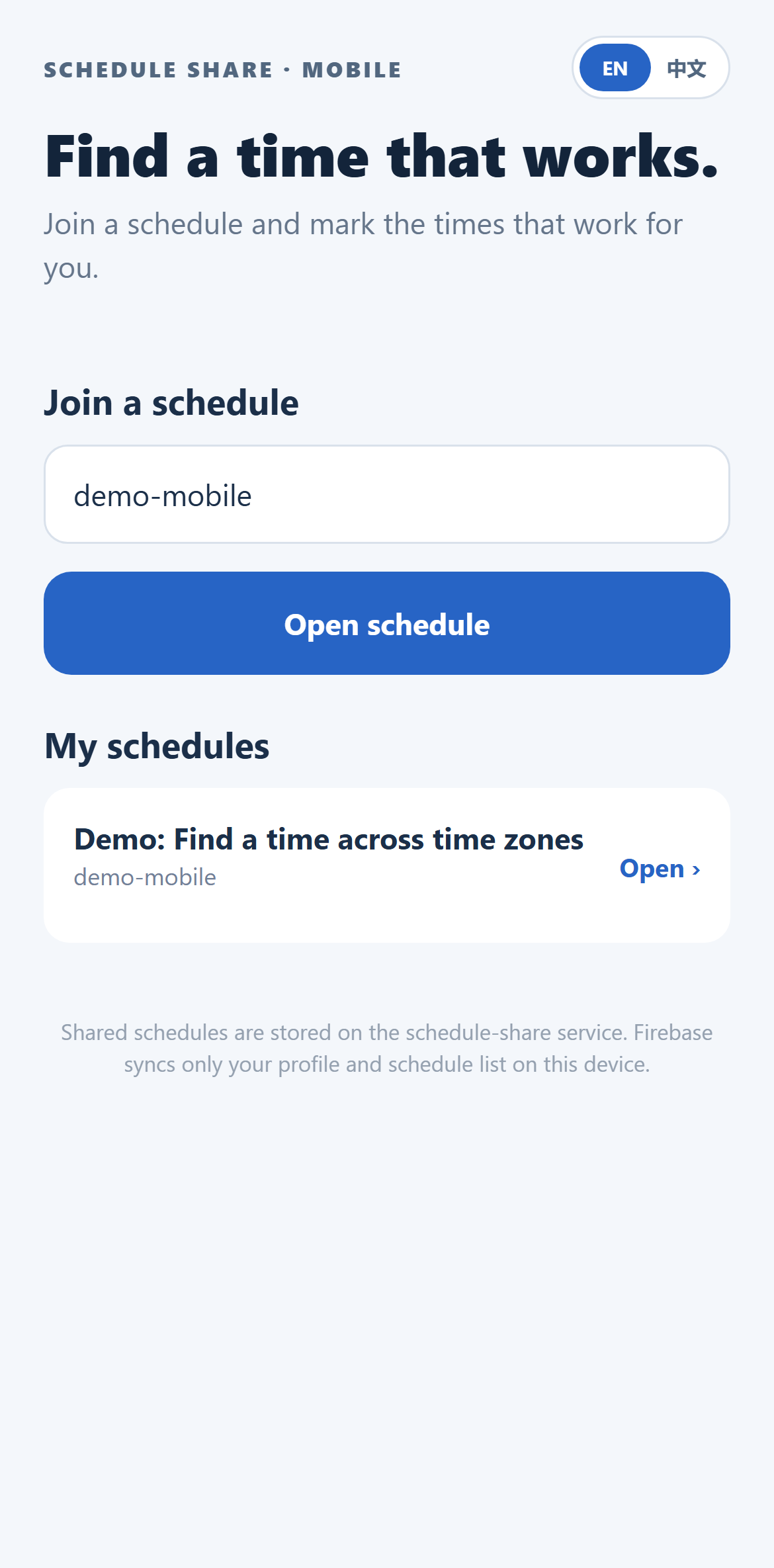
The native Expo app covers the whole loop. Participants join with a schedule code or a pasted link, mark times or vote, and see the shared results. Organisers can also create schedules, stop responses, archive, and confirm a final time. The app has an English and Chinese switch, saves drafts on the device, and keeps organiser and edit keys in the device's secure storage. Firebase sync is optional: with anonymous sign-in and Firestore, it only syncs a person's own profile and recent schedule list, and shared schedules never go there. The Firebase project is now set up and its security rules were checked against the real project: you can read and write your own records, but not anyone else's, and nothing outside the listed collections. The app was checked on an Android emulator and a physical device. Opening an ordinary web link straight into the app is not set up yet, so people paste the link or code instead.
How it works
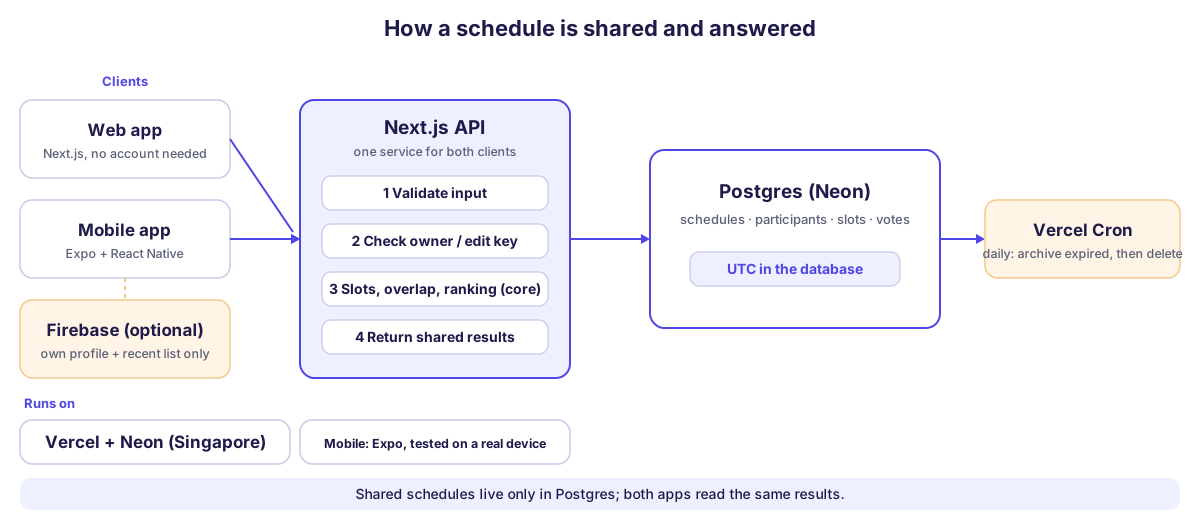
Both clients call one Next.js API. Each request is validated, then checked against the owner key or the participant's edit key. Slot generation, overlap counting and ranking run in a core package with no database or UI code, and the API returns the shared results. A daily cron job archives expired schedules and later deletes them. Image import is built but switched off behind cost, quota and release gates, so it cannot run up a bill before it is ready.
Engineering notes
- Decisions on record: ten architecture decision records cover the stack, time-zone policy, the key-based access model, the package manager, the time library, the ORM, hosting and the mobile client. Product, domain model, API and deployment docs sit alongside them.
- Clear boundaries:
coreis pure logic,dbholds the schema and migrations,api-clientshares types with both clients, and the web app only does pages and interaction. A shared API contract keeps web and mobile in step. - Access without accounts: the organiser key and each participant's edit key are checked on the server for every change; locked and archived schedules reject edits.
- Tested where it matters: over 500 tests cover slot generation, time zones, overlap, ranking, key permissions, import parsing (including recurring calendar events) and the mobile app's own logic, run in CI with lint, type checks and a build on every push.
- Cost-aware: AI image import stays off in production behind release mode, daily request and cost limits, and a credit ledger. Ads are wired in but switched off, with disclosure pages in place.
- Easy to run:
docker composestarts a local Postgres, and a handful of scripts set up the environment, check the database and run an end-to-end API smoke test against any deployment.
Status
Live at schedule.tonimakes.com, with the source on GitHub. The web app is in English by default, with a Chinese version under /zh. The mobile client passed physical-device checks on 8 October 2026. Next up: a closed beta with a few friends, opening ordinary links straight into the app, and a single translation dictionary for both languages. Every screenshot on this page comes from a local copy with sample schedules and fictional participants, so no real data appears above.