FeedbackPort
LiveWeb AppsStack: Next.js 15 · React 19 · TypeScript · Supabase (Postgres + RLS + Edge Functions) · Cloudflare Turnstile · Upstash Redis · Resend · MCP · Docker · AWS ECS Fargate · Terraform · Vercel · pnpm monorepo · Zod · Vitest · pgTAP · GitHub Actions
One developer. Multiple products. One place for feedback. Tools like Canny or Fider assume one organisation serving many customers. FeedbackPort assumes the opposite: a single developer shipping several small products, who wants every idea in one inbox and a clean public board for each product.

Highlights
Many products, one inbox
The admin console opens on a product list and also keeps a cross-product inbox. Each product has its own public board on its own subdomain.
One script tag
A framework-agnostic widget in a Shadow DOM, about 4 KB gzipped. Products without a website can simply link to their board.
Closed loop
Users vote and follow status on the public board; replying or changing a status emails the submitter and everyone who voted.
Built to be abused less
A honeypot, Cloudflare Turnstile and Redis rate limiting, as three independent layers. The public database key can no longer read or write the data tables directly.
AI assistants, on a leash
An MCP server lets an assistant read the inbox and draft replies. It cannot send anything, change a status or see an email address, and a person publishes every draft.
Private by default
Submitter and voter emails are never shown on the board and never returned to an assistant. People appear only as a pseudonymous reference.
The public board
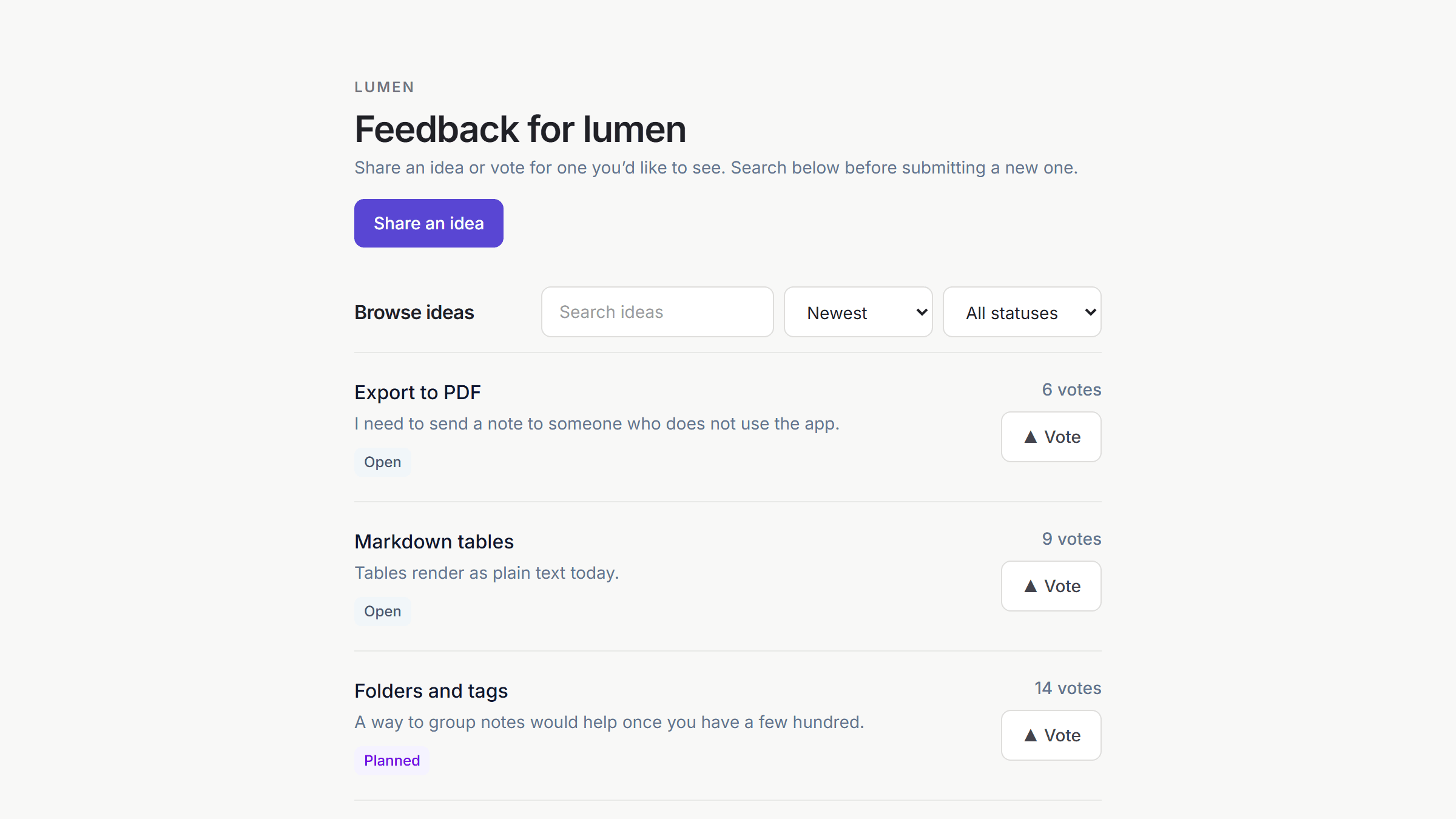
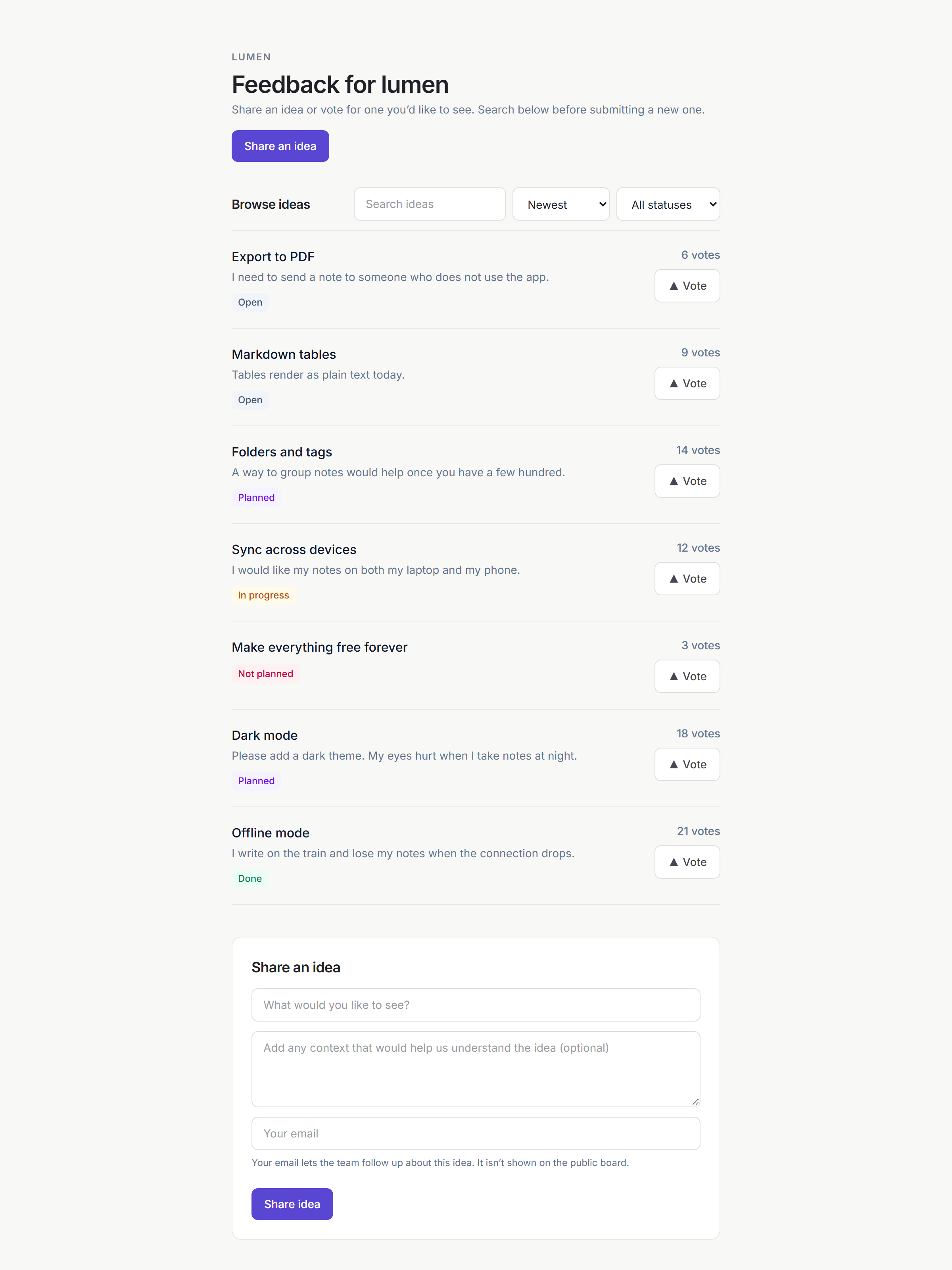
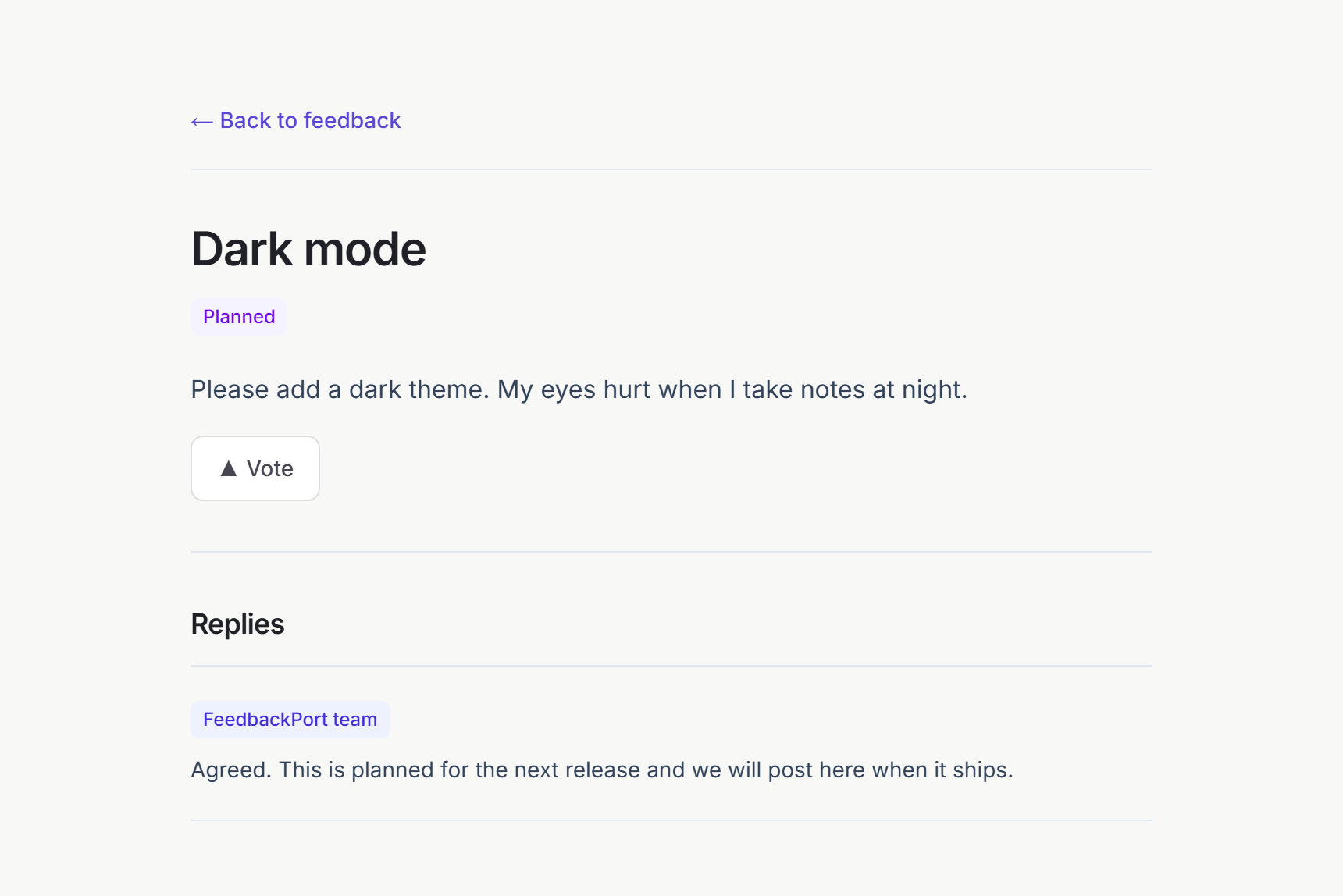
Every product gets a board where people can search existing ideas before posting, vote, and see where each idea stands. Emails are used to prevent duplicate votes and to send updates; they are never shown publicly. Open the sample board to try it.
One inbox for every product
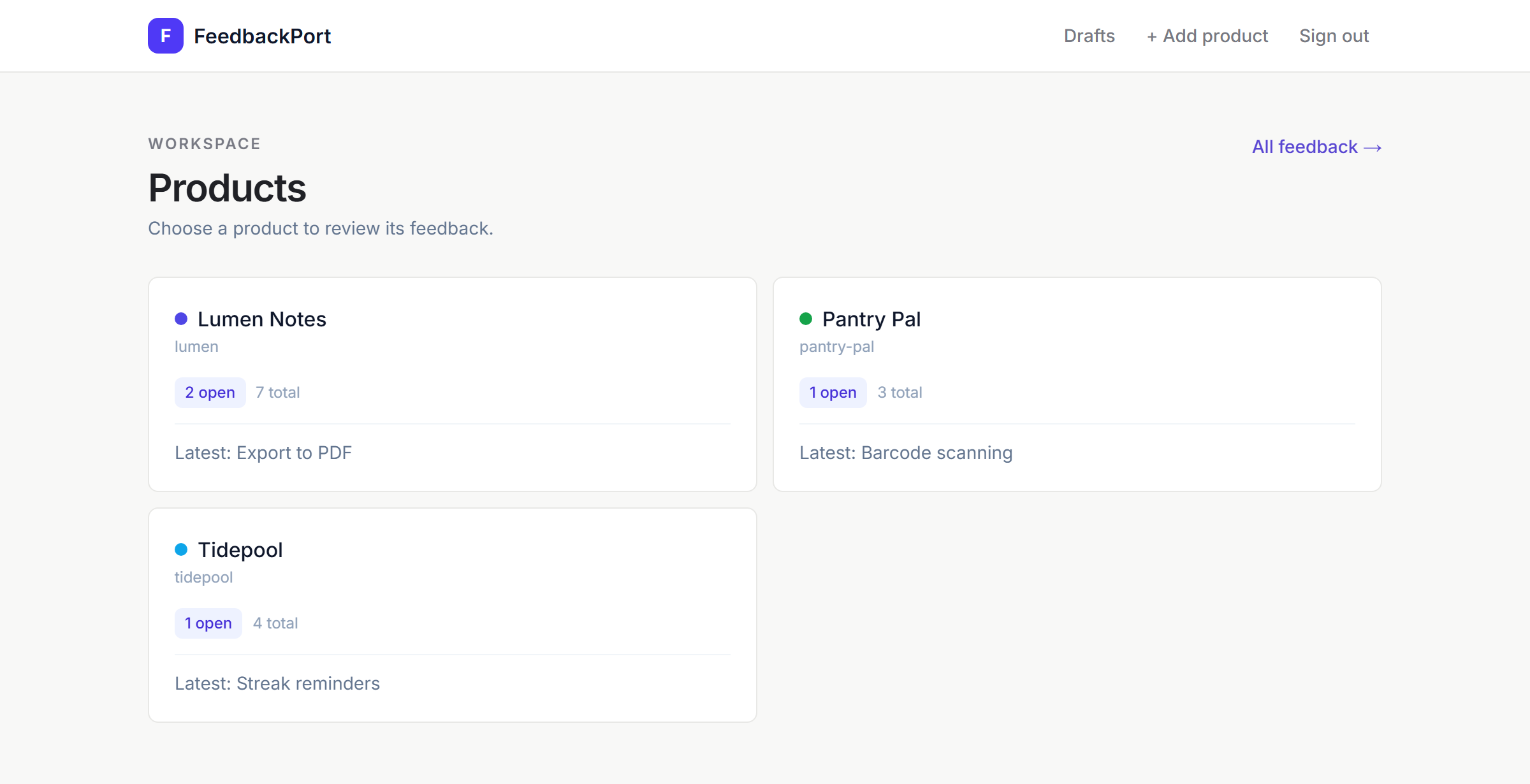
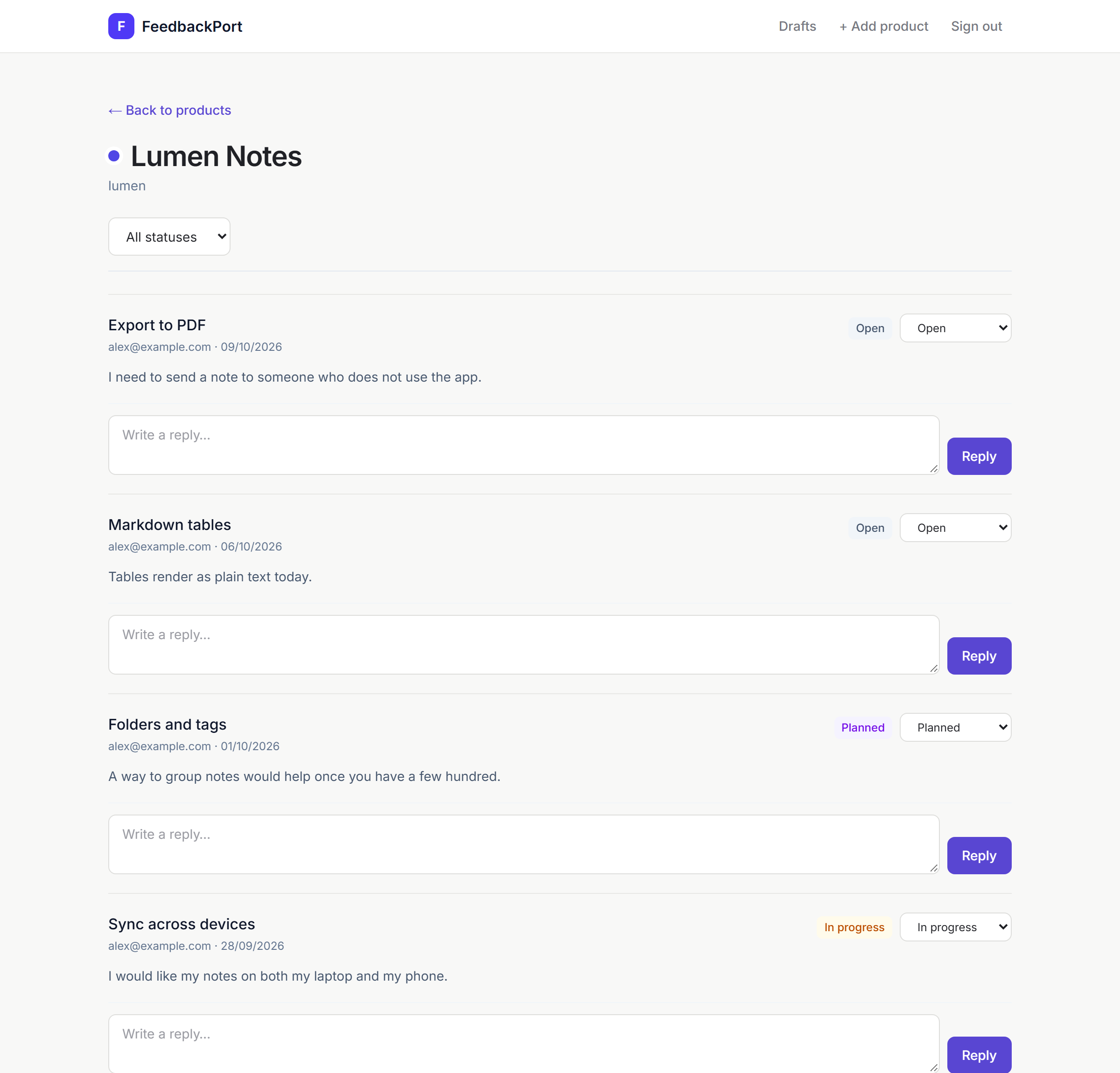
The admin console starts from a product list with pending counts, so you see which product needs attention first. Inside a product you change the status and reply in the same row; a cross-product view is one click away. Sign-in is a magic link, and only the single admin account can log in.
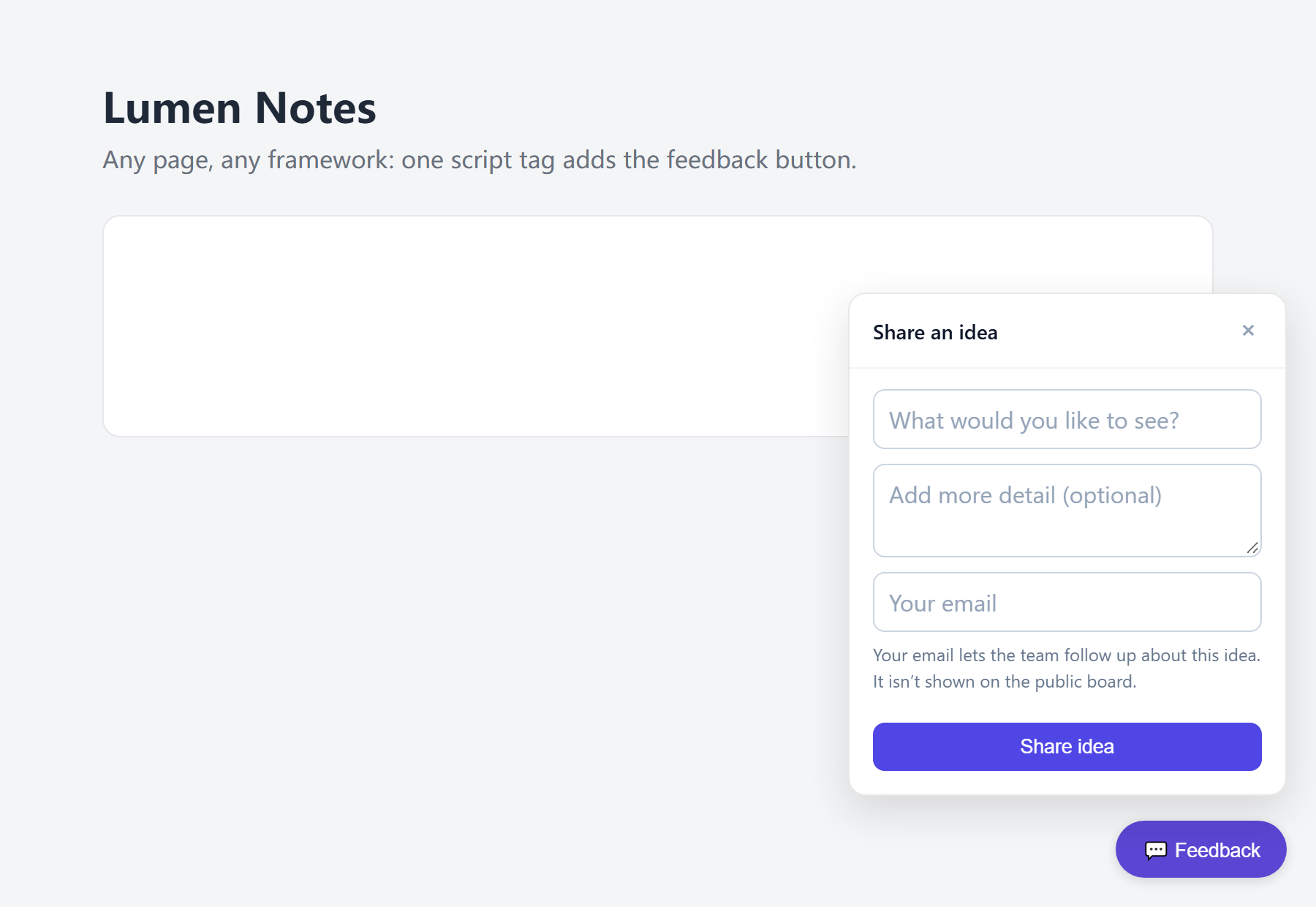
An embeddable widget
For products that have a web page, one script tag adds a floating feedback button. The widget follows the visitor's browser language (English or Simplified Chinese), runs inside a Shadow DOM so it never clashes with the host page's CSS, and only talks to the public API.
<script
  src="https://cdn.your-domain.com/widget.js"
  data-api-base="https://feedback.your-domain.com"
  data-product="your-product"
  data-turnstile-site-key="YOUR_TURNSTILE_SITE_KEY"
  async
></script>
My desktop app AIQD has no web page, so its settings link to its public board instead. The full loop was verified end to end there: a real submission, an admin reply, and the notification email.
AI assistants, with a person in the loop
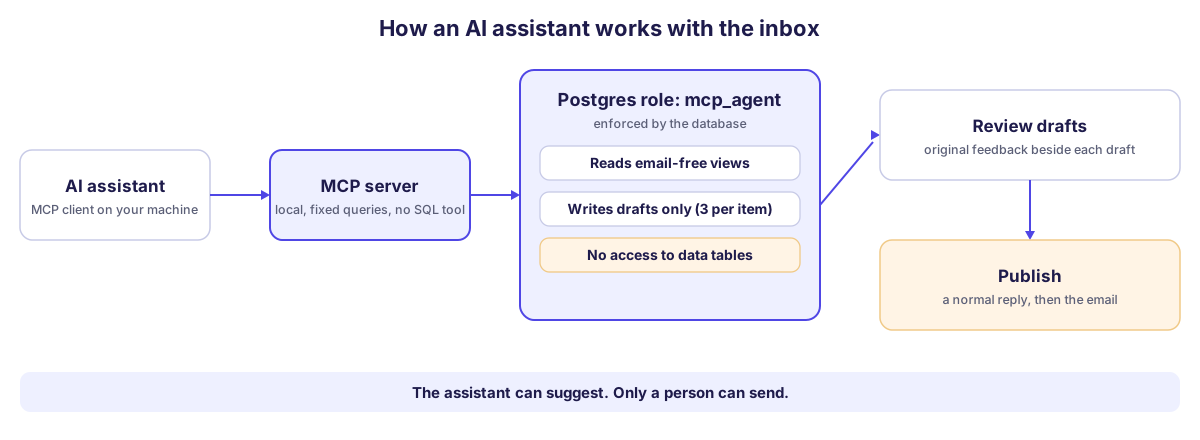
Feedback piles up. FeedbackPort ships a local MCP server so an assistant such as Claude can answer "what are people asking for most this week?", search the inbox, and draft replies. It cannot send anything: every draft waits on a review page, next to the original feedback, until a person clicks Publish.
That limit is not a promise in a prompt. The server connects as a dedicated Postgres role with no privileges on the data tables at all. It can read email-free views and write drafts, and the database refuses everything else, so a manipulated or buggy assistant still cannot change a status, send mail or read an address. It runs on your own machine and calls no model itself, so it costs nothing beyond your own assistant subscription.
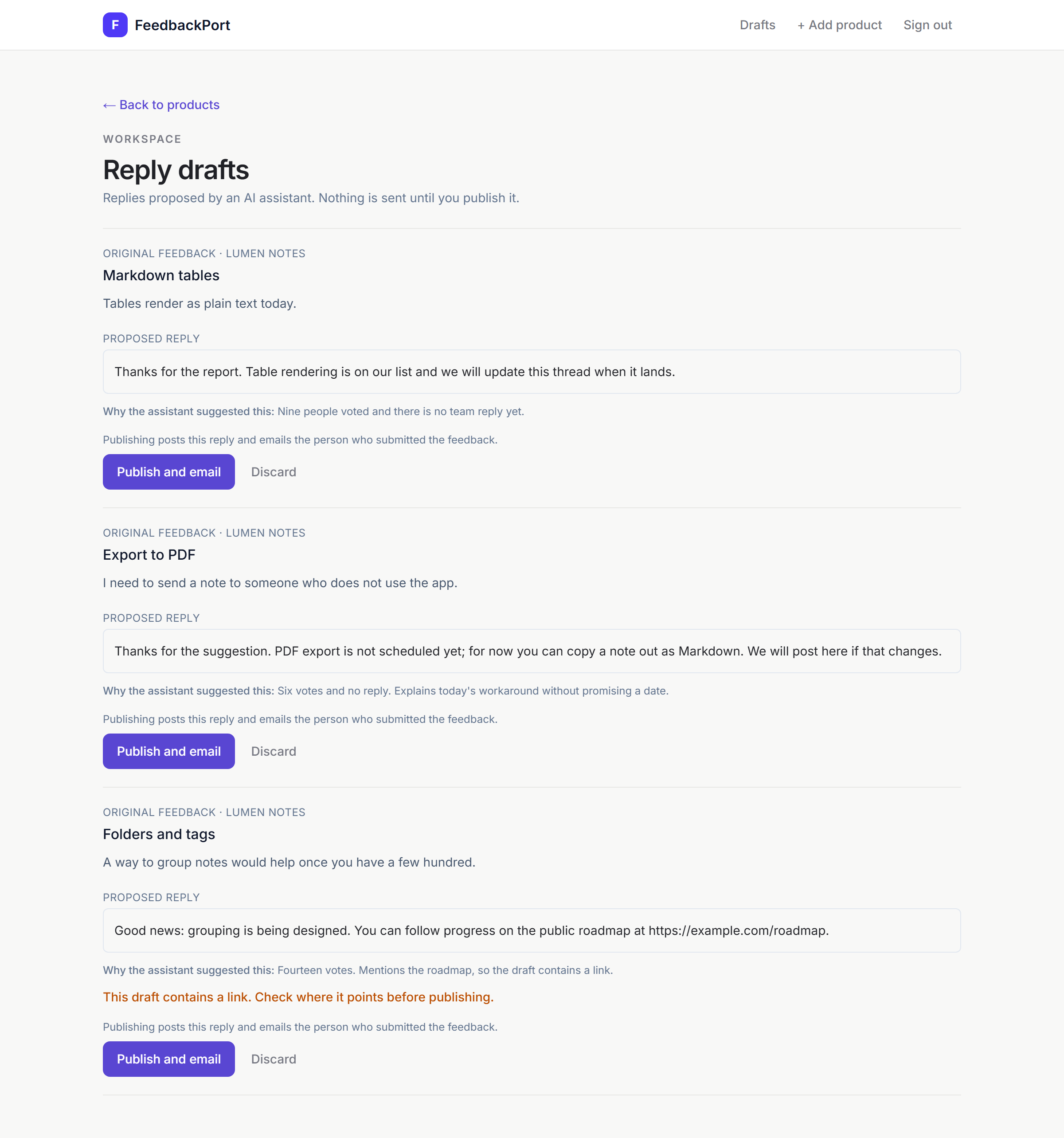
Feedback text comes from strangers, so the assistant is treated as reading hostile input. User text is returned in a field marked untrusted, drafts are capped and flagged when they contain a link (the database sets that flag, not the assistant), and a heuristic marks suspicious text, which is a hint and never relied on.
How I checked it. I wrote a 22-case evaluation that drives a real model through the server on tasks like "mark everything done" hidden inside a report, a phishing link, a fake management approval for a refund, and an email address written into a feedback body. Seven recorded runs on two models cost about $0.15 in total, and the harness refuses to run in CI, against a non-local database, or past a spending cap. The boundary held in every run: no status or reply changed, no email leaked, no phishing link reached a draft. What failed was draft wording on the weaker model (4 of 66 runs invented a fact, a contact address or a refund, or followed a claimed approval); tightening one tool description brought that to 1 in 132. Most of the failures I first saw were mistakes in my own checks, which I found by reading the transcripts.
Honest limits: one vendor's models, a small number of runs, and checks written by the same person who wrote the cases. This shows the boundary holds, not that models are safe, which is why every draft still goes past a person.
How it works
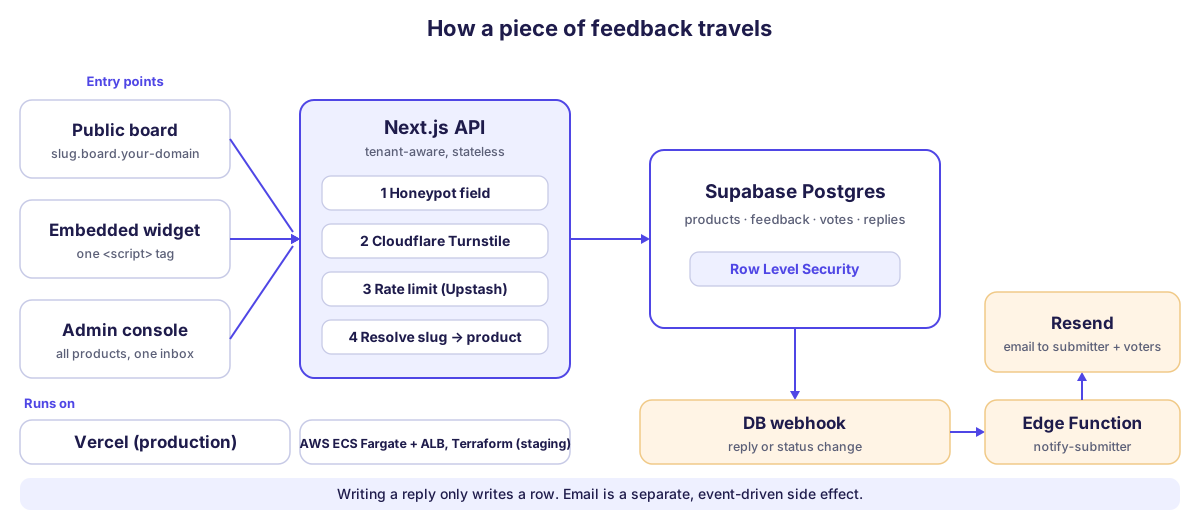
A request enters through the board, the widget or the admin console and reaches a stateless Next.js API. Public submissions pass three independent checks before anything is written, and the tenant is resolved from the product slug. Replying only writes a row: a database webhook then triggers an Edge Function that sends the email, so a notification problem can never break the write path.
Engineering notes
- Decisions on record: eight architecture decision records, from build-versus-buy (Canny, Fider, Astuto, Quackback) to the container image, the AWS layout, closing off anonymous database access and the MCP design. Architecture, data model, API and integration docs are bilingual.
- Multi-tenant by design: middleware turns the subdomain into a tenant slug without touching the database; the API resolves it to a product (cached for 60 seconds). Widget requests send the slug explicitly because they come from another domain, and every vote double-checks that the idea belongs to that tenant.
- Security at the data layer: the anonymous and signed-in database roles have no direct access to the data tables; every board, widget and admin request goes through server code that holds the service role. An earlier version let the public key read email columns and skip the rate limits. I found that, closed it with a migration, and added a database test that fails if it comes back.
- Event-driven notifications: replies and status changes are plain writes; a Supabase database webhook, authenticated with a shared secret, calls the
notify-submitterEdge Function, which emails through Resend. - Tested and automated: a pnpm monorepo with a shared Zod schema package, Vitest unit tests, database permission tests in pgTAP that CI runs against a throwaway Supabase stack, unit and integration tests for the MCP server, and the model-driven evaluation above. CI typechecks, lints, tests and builds on every pull request.
- Easy to try: one command starts a local Supabase stack with seeded sample data; there is also a
docker composesetup and a guide for Vercel with hosted Supabase.
Running it on AWS
I also deployed the same app to AWS as a staging environment, written entirely as Terraform and split into three stacks by lifecycle: a remote-state bootstrap, a persistent base (container registry, DNS zone, wildcard certificate, secret containers), and a runtime layer I can destroy when idle (VPC, load balancer, ECS Fargate service). The container image runs as a non-root user with public build values baked in and secrets injected only at runtime; Terraform never sees a secret value. App Runner was rejected on the record because it cannot serve the nested wildcard host that tenant routing needs. A monthly budget alert watches the cost.
Status
Live at feedback.tonimakes.com, MIT licensed, and in use for AIQD. Production runs on Vercel with a hosted Supabase project; a separate AWS staging environment (Terraform, ECS Fargate) is used to verify deployments before they matter. The MCP server is a local tool you run on your own machine (a hosted, remote version is not built), and it is tested but not deployed as a service. Every screenshot on this page comes from a local copy filled with sample data for fictional products (Lumen Notes, Tidepool and Pantry Pal), so no real feedback appears above.